Welcome to "RICKS SATELLITE WILDFEED & BACKHAUL FORUM"... ... ... Brought to you by "RICKS SATELLITE USA" - "Where the Big Dish Rules!"... ... ... In Association with "GOFASTMOTORSPORTS.com" ... ... ... Green Flag - Green Flag - Go Go Go ... ...

Donate
Ricks Satellite Wildfeed and Backhaul Forum

This Forum is Brought to you by "Ricks Satellite"
www.RicksSatelliteUSA.com or www.GoFastMotorsports.com or call 816-228-1801
Your US Supplier for Free To Air Digital Receivers, Feed Horns, LNB's & LNBF's, Venture Made in the USA Actuator Arms and many other products!

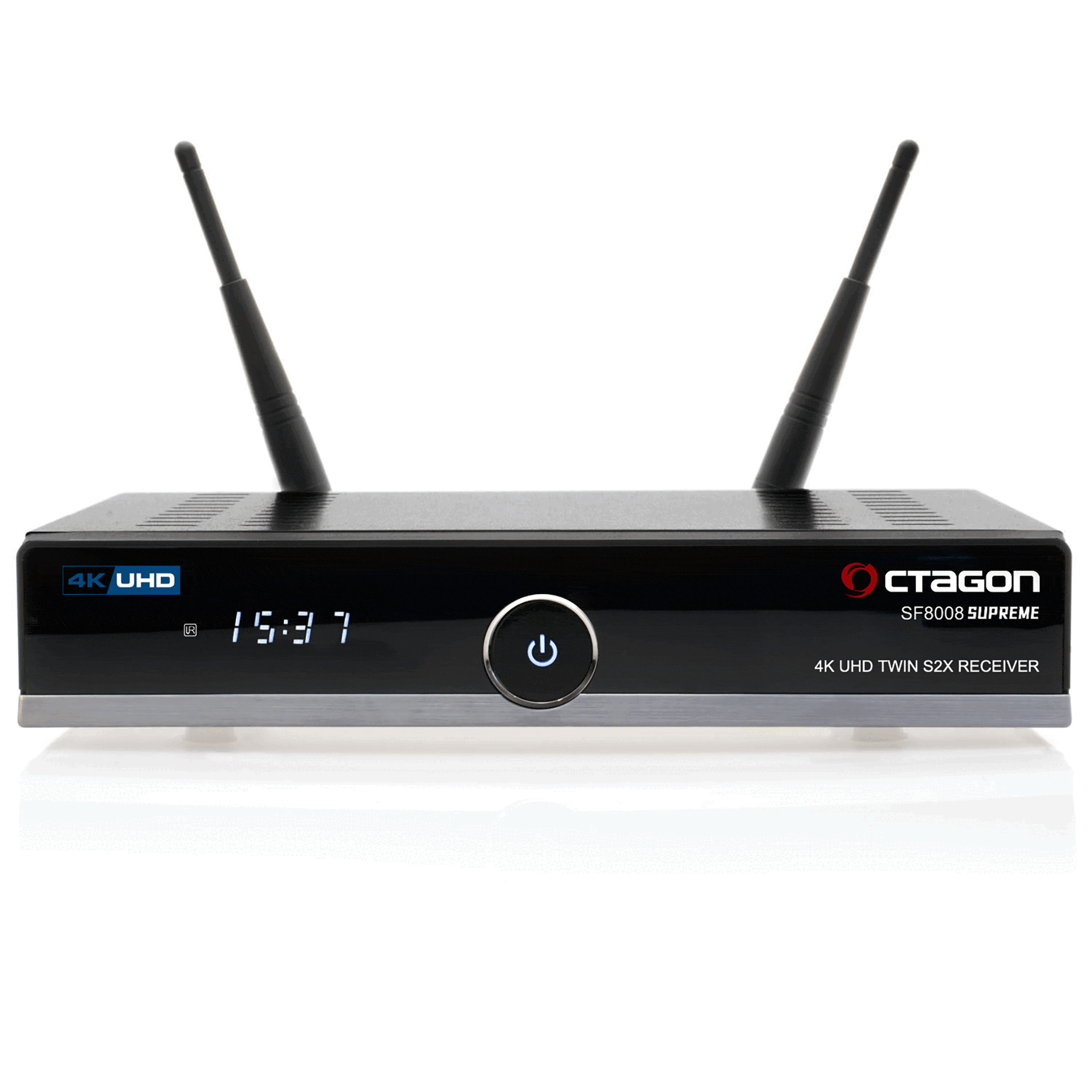
"Now In Stock... OCTAGON SF8008 V3 SUPREME 4K UHD E2 DVB-S2X TWIN (DUAL OS) Satellite Receiver With Multi-Boot!"
Bringing with it a World First - the M.2 interface for the internal integration of M.2 hard drive. $204.00 plus $15.00 for Shipping in the 48 Cont. United States!


If You Like Our Forum, Please Consider Making a Donation to Help With the Monthly Expenses to Maintain the Forum!

A Special Thank You to All who support and purchase products from Ricks Satellite! It is only by the profits made from those sales that I am able to pay for this forum.
A Continued THANK YOU to all of the SUPER POSTERS, that do such a GREAT JOB of finding and posting feeds. and thanks to the members who share their knowledge and answer questions.
It is the Entire group that makes this forum a success!

Sign up Latest Topics


Reply
  Author   Comment   Page 61 of 108     «   Prev   58   59   60   61   62   63   64   Next   »
voomvoom

Avatar / Picture

Registered:
Posts: 2,244
Reply with quote  #901 
How do I get a screen shot from this pop-up, which says at top of box:
CrazyScan.exe - System Error
the message starts with a large X in a red circle and says:
The program can't start because mingwm10.dll is missing from your computer. Try reinstalling the program to fix it.
then there is an OK highlighted at the bottom of box

I'm trying to install Crazyscan
so it's not installed yet

__________________
If I don't answer right away, give me a few, I'm probably chasing 16Apsk and/or 32Apsk
tempo

Registered:
Posts: 204
Reply with quote  #902 
CrazyScan doesn't require installation, just unpack all necessary files in same folder.
Please read wiki page:  http://sourceforge.net/p/crazyscan/wiki/Home/
There is a link to MS Visual C++ 2008 redistributable 
http://www.microsoft.com/download/en/details.aspx?displaylang=en&id=26368
maybe you haven't this system package installed in your PC.

__________________
Two 90 cm dishes on Strong SRT DM-2100 motors with Ku band LNBs.
STBs: Openbox X810, Openbox X820, Dr.HD F16 Blue Edition.
DVB cards in use: Prof 7301, Prof 8000, TT S2-1600, Omicom S2 PCI rev.3 (STV0903BAB, STV0903BAC, STV0900AAC demods), Prof 7500, Skystar2 rev.2.6D, TT S-1401, TBS 5922, TBS 5925, TBS 6922.
DVB cards in reserve: Prof 7300, TBS 6921, X3M SU1600HD, X3M SPC1400HD, Acorp DS110, Acorp DS120, DVBWorld PCI2004D, DVBWorld USB2104D, TT S2-3200, SkyStar HD USB, SkyStar S2, Skystar2 rev.2.3, SB 340-USB, SB 540-PCI, Tevii S464/S470/S471/S660/S420
voomvoom

Avatar / Picture

Registered:
Posts: 2,244
Reply with quote  #903 
OK
I'll go do some reading
Thanks tempo!

__________________
If I don't answer right away, give me a few, I'm probably chasing 16Apsk and/or 32Apsk
ACRadio

Avatar / Picture

Moderator
Registered:
Posts: 3,357
Reply with quote  #904 
I have just received the DVBSky S950 PCIe card and I have a question about Crazyscan. I can get the card to scan, and I see what you mean by it not being accurate...the plot isn't smooth although it does work and gives useful information...it's just not very pretty like the Prof.. . When I get a plot and I try to tune a signal it tells me that IQ Scan isn't supported, but when I draw a plot and do a blind scan it finds all kinds of signals (accurately too!!) and is probably 4 times faster than the Prof. It gives me the usual information...frequency, SR, polarity, modulation, FEC, s/n. Is there no way to get it to IQ scan like the Prof? The blind scan is fantastic, but of course when I click on a found signal it won't tune it...
__________________
Visit The NEW ACRadio Dish Farm
Check out FFCN Radio...now available on ROKU
Like FFCN Radio on Facebook
Visit the Google Play Store, BlackBerry World, or the App Store for the FFCN Radio official mobile app for smartphones/tablets.
xm11

Registered:
Posts: 52
Reply with quote  #905 
any suport windows 8 with blscan and crazyscan ?>
crazycat

Avatar / Picture

Registered:
Posts: 1,374
Reply with quote  #906 
no any specific issues for Win8 x86/x64 use latest Win7 x86/x64 drivers for your DVB device and my soft
__________________
Strong offset dish 0.95m on Powertech DG240 motor + ALPS BSTE8-751B Ku-Universal LNB. Variant CA-902 0.95 offset dish with 3x Ku-Universal LNBs (13E++9E+4.8E) + Variant CA-600 Ku-Circular LNB 36E + DiseqC 1.0. STB: GI8120 Lite. PC DVB: TBS 6983 PCI-E
crazycat

Avatar / Picture

Registered:
Posts: 1,374
Reply with quote  #907 
Quote:
Originally Posted by ACRadio
When I get a plot and I try to tune a signal it tells me that IQ Scan isn't supported, but when I draw a plot and do a blind scan it finds all kinds of signals (accurately too!!) and is probably 4 times faster than the Prof. It gives me the usual information...frequency, SR, polarity, modulation, FEC, s/n. Is there no way to get it to IQ scan like the Prof? The blind scan is fantastic, but of course when I click on a found signal it won't tune it...


Montage BlindScan fast, but not very accurate   My implementation some better DW DS300x, but anyway far to ideal No way to improve RFScan and IQScan not implemented.

__________________
Strong offset dish 0.95m on Powertech DG240 motor + ALPS BSTE8-751B Ku-Universal LNB. Variant CA-902 0.95 offset dish with 3x Ku-Universal LNBs (13E++9E+4.8E) + Variant CA-600 Ku-Circular LNB 36E + DiseqC 1.0. STB: GI8120 Lite. PC DVB: TBS 6983 PCI-E
ACRadio

Avatar / Picture

Moderator
Registered:
Posts: 3,357
Reply with quote  #908 
As you know we are looking for economical ways to tune 16/32apsk signals. This card is $59 and the TBS6925 is $259...quite a difference...
__________________
Visit The NEW ACRadio Dish Farm
Check out FFCN Radio...now available on ROKU
Like FFCN Radio on Facebook
Visit the Google Play Store, BlackBerry World, or the App Store for the FFCN Radio official mobile app for smartphones/tablets.
crazycat

Avatar / Picture

Registered:
Posts: 1,374
Reply with quote  #909 
Montage demods can lock only 16/32APSK CCM transport stream from modulator with high SNR So for APSK you need STV0900AAC-based device
__________________
Strong offset dish 0.95m on Powertech DG240 motor + ALPS BSTE8-751B Ku-Universal LNB. Variant CA-902 0.95 offset dish with 3x Ku-Universal LNBs (13E++9E+4.8E) + Variant CA-600 Ku-Circular LNB 36E + DiseqC 1.0. STB: GI8120 Lite. PC DVB: TBS 6983 PCI-E
seefoo

Registered:
Posts: 918
Reply with quote  #910 

Finally got the blscan and crazyscan working - sort of.  I can scan Ku but havn't found the right combination of inputs for the blscan.ini to scan c band. If anyone has a screen shot ot the .ini for c band i'd be grateful.  I use the prof 7301, 0/22 to switch between C and ku. When I put 5150 in the LOF1 and run scan, it blinks and that's it. No asking for input (o) et al. 

Dave

starman345

Avatar / Picture

Registered:
Posts: 640
Reply with quote  #911 
With my setup, 22khz=0 switches to c band, 22khz=1 is ku band


[Options]
; Device selection (>=0), default show device list and ask desired device num.
;Device=0
 
; Wait after start device in sec (1-10), default no wait (0)
StartWait=3
 
; Loop mode, default disabled (0)
;Loop=1
 
; Output dir for detailed reports .txt files, default current dir
ReportDir=Reports
 
; Output dir for transponders .ini files, default current dir
TPDir=Transponders
 
; Transponder ini format.
; 0 - Technotrend, default
; 1 - AltDVB
; 2 - DVBDream
; 3 - DVBViewer
; 4 - SichboPVR
; 5 - VDR 1.7.x
; 6 - Enigma2
IniFormat=1
 
; Additional info format for AltDVB, DVBViewer, VDR transponder inis.
; 0 - None
; 1 - RFLevel, SNR. Default.
; 2 - Time, Date.
; 3 - RFLevel, SNR; Time, Date. Not recomended for AltDVB.
; 4 - SNR.
; 5 - SNR; Time, Date.
;InfoFormat=2
 
; Minimal Signal/Noise for DVB-S/DSS/Turbo transponders. Default -100.
;MinSNR1=5
 
; Mimimal Signal/Noise for DVB-S2 transponders. Default -100.
;MinSNR2=8
 
; Lattitude*10, required for USALS control. Positive values - North, negative = South.
;Lat=494
 
; Longtitude*10, required for USALS control. Positive values - East, negative = West.
;Long=362
 
[SatInfo]
; Satellite position (0-3599)
SatPos=2591
; Satellite name for transponder ini
SatName=SES 1 C Band
 
; Low LOF in Mhz, default 9750
LOF1=5150
 
; High LOF in Mhz, default 10600
LOF2=0
 
; LOF Switch in Mhz, default 11700
LOFSW=0
 
; SingleBand LOF in Mhz, default -1 (used MultiBand LNB parameters - LOF1, LOF2, LOFSW)
;LOF=10750
 
; Contionous 22Khz tone control for SingleBand LNB (0,1), default 0 (off)
22Khz=0
 
; DiseqC 1.0 port (1-4), default disabled (0)
;DiseqC=2
 
; ToneBurst switch port (1-2), default disabled(0)
;ToneBurst=2
 
; DiseqC 1.1 port (1-16), default disabled (0)
;DiseqC11=2
 
; DiseqC 1.2 position (0-255), default disabled (-1)
DiseqC12=47
; Use STAB USALS (1) or SG2100 GOTOX (2) control, default disabled (0).
;USALS=1
 
; Wait in sec after DiseqC 1.2 or USALS, default disabled (0)
Wait=3
 
; Search interval 0 definition
[Scan0]
; Polarisation - 0;H;Horizontal, 1;V;Vertical, 2;L;Left, 3;R;Rigth
Pol=H
; Start frequency in Mhz, default minimum freq for selected LOFs
Start=3700
 
; Stop frequency in Mhz, default maximum freq for selected LOFs
Stop=4200
; Frequency step & search range in Mhz, default 4
Step=4
 
; Minimal symbol rate for BlindScan in KS (1000-50000), default 1000.
; Increase MinSR can speed-up scanning.
MinSR=1000
 
; Maximal symbol rate for BlindScan in KS (1000-50000), default 100000.
; Not change scan speed, only help exclude regular transponders from final report.
;MaxSR=10000
 
; Search interval 1 definition
[Scan1]
Start=3700
Stop=4200
Step=4
MinSR=1000
Pol=V
 

__________________
10' c/ku, Bullseye II Gbox 3000 90cm ku, SG-2100
Prof 7301 PCI
TBS 8922 PCI
TBS 6925 PCI-E
seefoo

Registered:
Posts: 918
Reply with quote  #912 
Starman..... thanks for the data.  I'll plug it into my .ini and see what happens. Whatever I tried, the scan did Ku. Every day I get closer and closer because of the help from folks like yourself on this forum..

Dave

Edit:  Put your data into my .ini and voila..... C band scaned. Modified the lof, start/stop freq, 22hz tone to 1 and scaned ku..  I'm one happy dude. Many thanx to tempo for pointing me in the right direction and starman for the screen shot showing me how to input the data. Joining the ranks of the blind scanners is a big step for me.
voomvoom

Avatar / Picture

Registered:
Posts: 2,244
Reply with quote  #913 
After a couple of PM's from starman and reading somewhat, I decided to uninstall (delete/shred) all the CrazyScan Files, and just start over
Quote:
Originally Posted by voomvoom
OK
I'll go do some reading
Thanks tempo!
which I did this afternoon
First I shredded the files then I went to the first post of this thread and started downloading for a fresh start
the crazycat69.narod files would not download, I guess the site was down? it kept timing out
the sourceforge files downloaded fine
I put them into a new folder I named Crazycat
I did not unzip them yet
I tried a few more times to download the crazycat69.narod files, with no luck?
So I waited.....
About Midnight my time (eastern) I tried again and the download was successful!
I placed them in the new folder Crazycat
Then I unzipped them all into that folder
Then I double clicked "crazyscan" and it opened up
Been playing with it for an hour and a half
I'm very satisfied!
Thanks starman and tempo for your help
I currently have the 7301 looped out from my AZbox P+
I'll be setting up a dedicated cable for it as soon as I can
This is just really neat stuff
THANKS TO ALL WHO HAVE CONTRIBUTTED TO THIS PROGRAM!!!

__________________
If I don't answer right away, give me a few, I'm probably chasing 16Apsk and/or 32Apsk
crazycat

Avatar / Picture

Registered:
Posts: 1,374
Reply with quote  #914 
Patched driver 2.0.0.7 for Prof 7500:
Win x86
Win x64

__________________
Strong offset dish 0.95m on Powertech DG240 motor + ALPS BSTE8-751B Ku-Universal LNB. Variant CA-902 0.95 offset dish with 3x Ku-Universal LNBs (13E++9E+4.8E) + Variant CA-600 Ku-Circular LNB 36E + DiseqC 1.0. STB: GI8120 Lite. PC DVB: TBS 6983 PCI-E
Spot1

Registered:
Posts: 582
Reply with quote  #915 
Crazycat, thanks--this driver works now in Win8 w/ EBSPro 8.4.0.0. and Prof 7500 .Old driver wound't work , I'm glad i found this here. Will this NEW driver work on Xp ????
__________________
_Openbox S10,TBS6903--5925/5520SE/Prof7500 , S950 , Win10-64_PCI-E .I7- 4.2-1060 _8.5 FT Birdview solid_Corotor 2,, WNC 4x8 _DSR922_DSR6000,,Been my hobby since 1983 !!!!!
Previous Topic | Next Topic
Print
Reply

Quick Navigation:

Easily create a Forum Website with Website Toolbox.

Fellow Members, your posts are welcome here! Do not worry about posting everything perfect. Different receivers and LNB's will give you different Frequencies and Symbol Rates. Some set top boxes, PCI cards and USB receivers, Do Not Require all of the same information that others may need. It is not Required to post everything that others may need to tune in a feed. It is just most important to share the find. We can always adjust the Frequency and Symbol Rates and try the various Modulations and FEC's on our own receivers until we get a lock and then give a polite reply with what works for your receiver, as that information might help others as well. We all appreciate the efforts and energy of the Posters!

Thank You for Visiting GOFASTMOTORSPORTS.com - Keep Your Eyes on the Sky and the Track!