Welcome to "RICKS SATELLITE WILDFEED & BACKHAUL FORUM"... ... ... Brought to you by "RICKS SATELLITE USA" - "Where the Big Dish Rules!"... ... ... In Association with "GOFASTMOTORSPORTS.com" ... ... ... Green Flag - Green Flag - Go Go Go ... ...

Donate
Ricks Satellite Wildfeed and Backhaul Forum

This Forum is Brought to you by "Ricks Satellite"
www.RicksSatelliteUSA.com or www.GoFastMotorsports.com or call 816-228-1801
Your US Supplier for Free To Air Digital Receivers, Feed Horns, LNB's & LNBF's, Venture Made in the USA Actuator Arms and many other products!

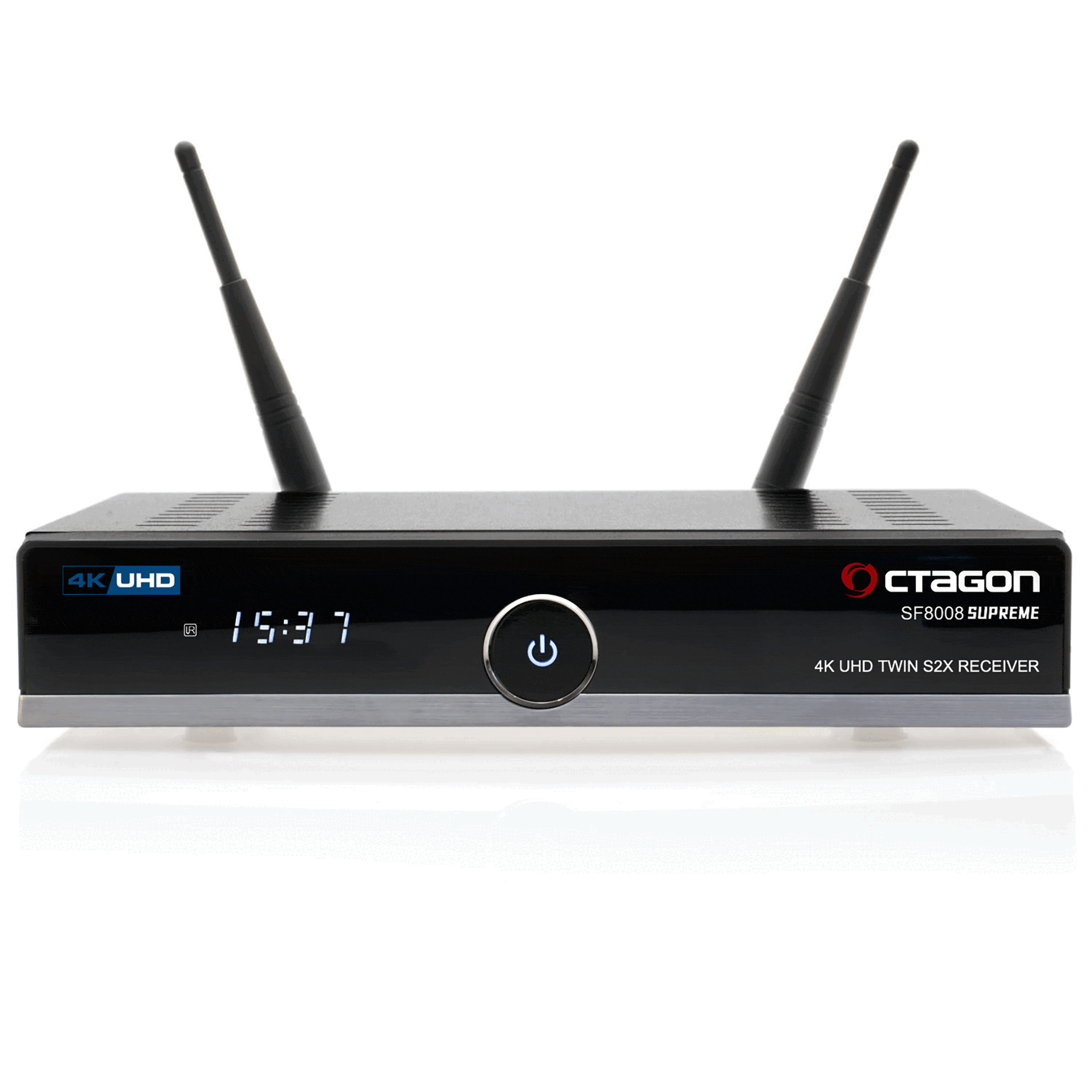
"Now In Stock... OCTAGON SF8008 V3 SUPREME 4K UHD E2 DVB-S2X TWIN (DUAL OS) Satellite Receiver With Multi-Boot!"
Bringing with it a World First - the M.2 interface for the internal integration of M.2 hard drive. $204.00 plus $15.00 for Shipping in the 48 Cont. United States!


If You Like Our Forum, Please Consider Making a Donation to Help With the Monthly Expenses to Maintain the Forum!

A Special Thank You to All who support and purchase products from Ricks Satellite! It is only by the profits made from those sales that I am able to pay for this forum.
A Continued THANK YOU to all of the SUPER POSTERS, that do such a GREAT JOB of finding and posting feeds. and thanks to the members who share their knowledge and answer questions.
It is the Entire group that makes this forum a success!

Sign up Latest Topics


Reply
  Author   Comment   Page 52 of 108     «   Prev   49   50   51   52   53   54   55   Next   »
redplanet

Registered:
Posts: 5
Reply with quote  #766 

I have a BLScan diseqc problem. Seen from the computer, the first switch is a diseqc 1.0 and then a diseqc 1.1 8 port switch and then the LNB's.

I understand the S/W send first the 1.1 command and then the 1.0 command. So if i want to use LNB 8 in the second chain i would require first the 1.0 command to set the switch to 2 and than the 1.1 command to set the second switch to 8. However, BLScan does it the other way around.

In Crazyscan i simply fix this by pressing the diseqc send button twice (first time the 1.0 switch goes to two, second time the 1.1 command already routes to the 1.0 port 2 and reaches the second set of 8 port diseqc 1.1 switches. This works perfectly.

However, BLScan has no option to send the WHOLE 1.1, 1.0 sequence twice (i believe it just repeats each diseqc command twice).

Any solution ? (repeat diseqc commands in blscan.ini ?)

Tks

crazycat

Avatar / Picture

Registered:
Posts: 1,374
Reply with quote  #767 
modify BLScan for you specific purposes sources available

__________________
Strong offset dish 0.95m on Powertech DG240 motor + ALPS BSTE8-751B Ku-Universal LNB. Variant CA-902 0.95 offset dish with 3x Ku-Universal LNBs (13E++9E+4.8E) + Variant CA-600 Ku-Circular LNB 36E + DiseqC 1.0. STB: GI8120 Lite. PC DVB: TBS 6983 PCI-E
redplanet

Registered:
Posts: 5
Reply with quote  #768 
Wouldn't mind trying - although i'm a 54 yr old FORTRAN veteran :-)
Can't find the sources - not on sourceforge and not on the place where streamreader sits.
I just thought that - like in much H/W - a generic option to select the diseqc order to be 1.1=>1.0 or 1.0=>1.1 could be useful. (e.g. Azbox premium HD+ has this)
tempo

Registered:
Posts: 204
Reply with quote  #769 
Source code of BLScan here:

P.S. The link to source code in the first post corrected.

__________________
Two 90 cm dishes on Strong SRT DM-2100 motors with Ku band LNBs.
STBs: Openbox X810, Openbox X820, Dr.HD F16 Blue Edition.
DVB cards in use: Prof 7301, Prof 8000, TT S2-1600, Omicom S2 PCI rev.3 (STV0903BAB, STV0903BAC, STV0900AAC demods), Prof 7500, Skystar2 rev.2.6D, TT S-1401, TBS 5922, TBS 5925, TBS 6922.
DVB cards in reserve: Prof 7300, TBS 6921, X3M SU1600HD, X3M SPC1400HD, Acorp DS110, Acorp DS120, DVBWorld PCI2004D, DVBWorld USB2104D, TT S2-3200, SkyStar HD USB, SkyStar S2, Skystar2 rev.2.3, SB 340-USB, SB 540-PCI, Tevii S464/S470/S471/S660/S420
redplanet

Registered:
Posts: 5
Reply with quote  #770 
Just a tip for those who get the same helpfull answer as i did : "Get the software and fix it yourself"
On the link mentioned you find the software. After that get MS Visual C++ express 2010 (free). The software only compiles after changing afxres.h (twice) to winresrc.h 
in the BLScan.rc file (otherwise you need the commercial 700 US $ version of the 
C++ studio; afxres.h belongs to the MFC support),
In my case i cut and paste the Diseqc 1.0 command lines to also appear before the 1.1 section and the job was done.
merkin

Registered:
Posts: 1,012
Reply with quote  #771 
You can get it free through msdnaa or dreamspark qualifying memberships
Cjcr

Avatar / Picture

Registered:
Posts: 268
Reply with quote  #772 

I've published today a new version of EBS GUI for support the new BLScan2 (works with both versions of BLScan)

> 4.2 stable [17 Apr, 2012]

  • Added: Support for BLScan2 (you can switch to BLScan or BLScan2 when you want from Main window)
  • Added: Device Config: FastTune option (some device(s) need this option marked, eg. Prof7500)
  • Update: Streamreader.dll, BLScan.exe and BLScan2.exe to latest version (thanks to crazycat)

http://cjcr-soft.com/software/easy-blindscan/

wejones

Avatar / Picture

Registered:
Posts: 6,991
Reply with quote  #773 
Quote:
Originally Posted by redplanet
Just a tip for those who get the same helpfull answer as i did : "Get the software and fix it yourself"
On the link mentioned you find the software. After that get MS Visual C++ express 2010 (free). The software only compiles after changing afxres.h (twice) to winresrc.h 
in the BLScan.rc file (otherwise you need the commercial 700 US $ version of the 
C++ studio; afxres.h belongs to the MFC support),
In my case i cut and paste the Diseqc 1.0 command lines to also appear before the 1.1 section and the job was done.


Do you perhaps know if an older version of the Visual C++ will work?  I have a version 6.0, which is pretty old.  I think most of the files are dated like 1998 or something.  I THINK I tried playing with the SDK a while back, and couldn't get it to work. It does have the winresrc.h file though.  Maybe I'll try it again.

feeds4fun

Registered:
Posts: 7
Reply with quote  #774 
@cjcr, crazycat, tempo

thank you for your work

except great blscan and crazyscan, i`m using also great easy blind scan pro, i`m customer and i have on tbs 6925 it on windows 7 (32x86 bit). but today i`m trying to install it on other pc with windows xp sp 3 (32x86 bit) where i have connected prof 7500 and easy blind scan pro working ok, but i have no picture on any free, unencrypted 4:2:0 or 4:2:2 channel/feed with vlc 1.1.11 (before that tried with 2.0.2 and was same, i have only red-white cone on center of black vlc window). i make setting for vlc in ebs pro properties with udp://@127.0.0.1:{20}, but what other i need to make to get finally picture on my other pc? else i have framework 4 also installed, it was for ebs pro in system requirements.....

thanks for help and keep you great work, i`m so satisfied with your contribution and help for feedhunters!


Attached Images
Click image for larger version - Name: nopicture.JPG, Views: 128, Size: 204.78 KB 

__________________
prof 7500, tbs 6925

feeds4fun

Registered:
Posts: 7
Reply with quote  #775 
Problem solved thanks to respected Cjcr

Hi,

Take  a look at Options -> Device settings > And check if "No PID Filter" is unmarked. Then reboot EBS.

Good luck!


(Else not easy to do because each time when I change this in EBS Pro blind scan make fault and when I check again to Options I see "No Pid Filter" is again alone marked!!!!!)  Solved with change Streamreader configuration settings manually

NoPidFilter=0
; Disable PID filtering ,

that mean must be 0 (default is 1)

If is marked 1 blind scan will not work, you can see only crazy jump from freq. range

Thanks again to Cjcr for help on private
And also to Tempo for BLScan 930 but streamereader config there need to be changed about this problem. 


__________________
prof 7500, tbs 6925
TheSatBible

Registered:
Posts: 889
Reply with quote  #776 
Quote:

BLSCAN and BLSCAN2 exe's and ini's are in the same directory as EBS 4.2.0.0.  I created a profile using BLSCAN and then used the drop down box, selected BLSCAN2, and created another profile (so one profile is for BLSCAN, the other BLSCAN2).

I was able to run the scan with the BLSCAN profile.  When I selected the BLSCAN2 profile to do a scan, the program brought up the DOS window, informed me of the scan parameters and then locked up before even the first frequency could be scanned.   I went back to the BLSCAN profile and the scan worked just like  it did the first time.

EDIT: I tweaked something in the blscan2.ini or the profile with the BLSCAN2 scan info and now it runs about 2 seconds and errors out 


UPDATE:

now I"m feeling a little embarrassed.    I went to my old EBS directory (where I had to copy blscan2 over blscan) and ran blscan2 from there.  It "hung" until it found the first signal and then I figured out why I have to be embarrassed!  BLSCAN shows you freq by freq as it scans (and the freq has info if a signal is found) while BLSCAN2 just shows you only signals locked, not the scan freq by freq.

Looks like EBS 4.2.0.0 is good for BLSCAN2 once I figure out what the error is that causes the scan window to destruct a few seconds into the scan.  Considering I was messing with local oscillator freqs and some other INI settings to get what I thought was  a hanging BLSCAN2 to work, once I figure out what I changed and changed it back, it should be all good.


tempo

Registered:
Posts: 204
Reply with quote  #777 
@TheSatBible,
What card do you use? Not every dvb card can be used with BLScan2. Maybe there is simply "BLScan2 not supported" message, which you can't read?

__________________
Two 90 cm dishes on Strong SRT DM-2100 motors with Ku band LNBs.
STBs: Openbox X810, Openbox X820, Dr.HD F16 Blue Edition.
DVB cards in use: Prof 7301, Prof 8000, TT S2-1600, Omicom S2 PCI rev.3 (STV0903BAB, STV0903BAC, STV0900AAC demods), Prof 7500, Skystar2 rev.2.6D, TT S-1401, TBS 5922, TBS 5925, TBS 6922.
DVB cards in reserve: Prof 7300, TBS 6921, X3M SU1600HD, X3M SPC1400HD, Acorp DS110, Acorp DS120, DVBWorld PCI2004D, DVBWorld USB2104D, TT S2-3200, SkyStar HD USB, SkyStar S2, Skystar2 rev.2.3, SB 340-USB, SB 540-PCI, Tevii S464/S470/S471/S660/S420
TheSatBible

Registered:
Posts: 889
Reply with quote  #778 
Quote:
Originally Posted by tempo
@TheSatBible,
What card do you use? Not every dvb card can be used with BLScan2. Maybe there is simply "BLScan2 not supported" message, which you can't read?


TBS6925.  Worked when I had to copy-over BLSCAN2 files over BLSCAN files.  I like the idea of the newer EBS as you can change BLSCAN to BLSCAN2 more "on the fly" and each BLSCAN executable  has its plusses and minuses that it would be nice to do both wihtout having to go to DOS to prepare things for a BLSCAN2 scan.


docj2005

Registered:
Posts: 27
Reply with quote  #779 
i try to use blscan 2 with my prof7500 and it tells me bldvsn not supported.... bldvsn wrks wonderful

what is rong?]

__________________
1.2 meter dish w/ universal ku/ cband lnb
prof7500 usb
several stbs
windows 7 64bit
my theater.. tsreader shiebo and more
tempo

Registered:
Posts: 204
Reply with quote  #780 
Prof 7500 supported in BLScan and do not supported in BLScan2, because there isn't vendor's alternative blindscan method. BLScan2 created for support alternative blindscan methods (not CrazyCat's).
__________________
Two 90 cm dishes on Strong SRT DM-2100 motors with Ku band LNBs.
STBs: Openbox X810, Openbox X820, Dr.HD F16 Blue Edition.
DVB cards in use: Prof 7301, Prof 8000, TT S2-1600, Omicom S2 PCI rev.3 (STV0903BAB, STV0903BAC, STV0900AAC demods), Prof 7500, Skystar2 rev.2.6D, TT S-1401, TBS 5922, TBS 5925, TBS 6922.
DVB cards in reserve: Prof 7300, TBS 6921, X3M SU1600HD, X3M SPC1400HD, Acorp DS110, Acorp DS120, DVBWorld PCI2004D, DVBWorld USB2104D, TT S2-3200, SkyStar HD USB, SkyStar S2, Skystar2 rev.2.3, SB 340-USB, SB 540-PCI, Tevii S464/S470/S471/S660/S420
Previous Topic | Next Topic
Print
Reply

Quick Navigation:

Easily create a Forum Website with Website Toolbox.

Fellow Members, your posts are welcome here! Do not worry about posting everything perfect. Different receivers and LNB's will give you different Frequencies and Symbol Rates. Some set top boxes, PCI cards and USB receivers, Do Not Require all of the same information that others may need. It is not Required to post everything that others may need to tune in a feed. It is just most important to share the find. We can always adjust the Frequency and Symbol Rates and try the various Modulations and FEC's on our own receivers until we get a lock and then give a polite reply with what works for your receiver, as that information might help others as well. We all appreciate the efforts and energy of the Posters!

Thank You for Visiting GOFASTMOTORSPORTS.com - Keep Your Eyes on the Sky and the Track!