Welcome to "RICKS SATELLITE WILDFEED & BACKHAUL FORUM"... ... ... Brought to you by "RICKS SATELLITE USA" - "Where the Big Dish Rules!"... ... ... In Association with "GOFASTMOTORSPORTS.com" ... ... ... Green Flag - Green Flag - Go Go Go ... ...

Donate
Ricks Satellite Wildfeed and Backhaul Forum

This Forum is Brought to you by "Ricks Satellite"
www.RicksSatelliteUSA.com or www.GoFastMotorsports.com or call 816-228-1801
Your US Supplier for Free To Air Digital Receivers, Feed Horns, LNB's & LNBF's, Venture Made in the USA Actuator Arms and many other products!

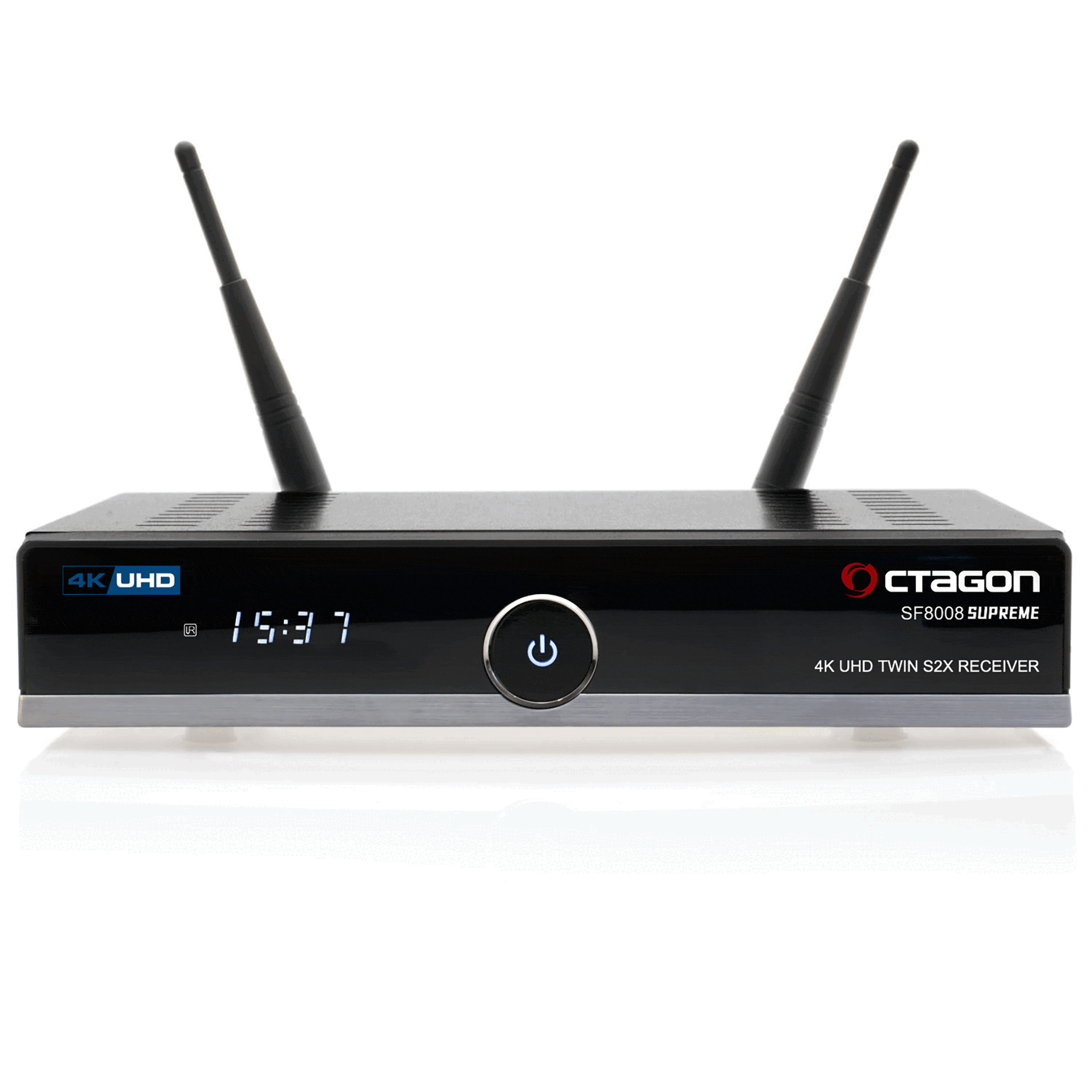
"Now In Stock... OCTAGON SF8008 V3 SUPREME 4K UHD E2 DVB-S2X TWIN (DUAL OS) Satellite Receiver With Multi-Boot!"
Bringing with it a World First - the M.2 interface for the internal integration of M.2 hard drive. $204.00 plus $15.00 for Shipping in the 48 Cont. United States!


If You Like Our Forum, Please Consider Making a Donation to Help With the Monthly Expenses to Maintain the Forum!

A Special Thank You to All who support and purchase products from Ricks Satellite! It is only by the profits made from those sales that I am able to pay for this forum.
A Continued THANK YOU to all of the SUPER POSTERS, that do such a GREAT JOB of finding and posting feeds. and thanks to the members who share their knowledge and answer questions.
It is the Entire group that makes this forum a success!

Sign up Latest Topics


Reply
  Author   Comment   Page 46 of 108     «   Prev   43   44   45   46   47   48   49   Next   »
TheSatBible

Registered:
Posts: 889
Reply with quote  #676 
Quote:
Originally Posted by dosatelite
To can scan those 0.20 roll-off frequencies, you must add line FastTune = 0 in the streamreader.ini


does it matter where in the ini file to put it or just add it somewhere in the ini file?


dosatelite

Registered:
Posts: 66
Reply with quote  #677 
Doesnt matter. You may put it as the last line, then save and close file.

__________________
Prof 7301, TBS 6925, Win 7 32bits
2m85 C band, 1m6 Ku band
West side of Brazil
TheSatBible

Registered:
Posts: 889
Reply with quote  #678 
Quote:
Originally Posted by dosatelite
Doesnt matter. You may put it as the last line, then save and close file.


ok.  Did it and things seem to work better with BLscan already!   (a few known 1xxx SR muxes that BLScan missed a few weeks ago are now found with the new configuration).


crazycat

Avatar / Picture

Registered:
Posts: 1,374
Reply with quote  #679 
now i upload new build StreamReaderEx BDA 1.0.8.826 - please test on Prof revolution with default tuner control mode (FastTune=1).

__________________
Strong offset dish 0.95m on Powertech DG240 motor + ALPS BSTE8-751B Ku-Universal LNB. Variant CA-902 0.95 offset dish with 3x Ku-Universal LNBs (13E++9E+4.8E) + Variant CA-600 Ku-Circular LNB 36E + DiseqC 1.0. STB: GI8120 Lite. PC DVB: TBS 6983 PCI-E
dosatelite

Registered:
Posts: 66
Reply with quote  #680 
I did a test with the 1.0.8.827 streamreader, and found:

with FastTune=0 -> NSS806 90 frequencies; Brsat B4 79 frequencies

with FastTune=1 -> NSS806 83 frequencies ; Brsat B4 76 frequencies.

So, with Prof7301 FastTune=0 is very best .

I did a little change in this line of code of BLScan, and it is now working very good with small steps (2 MHZ), to find small symbol rates of C band:

(pTrp[TrpNum+i].CW<K(MIN_CW) ? K(MIN_CW) : pTrp[TrpNum+i].CW)/2+K(1);


changed to

(pTrp[TrpNum+i].CW<K(MIN_CW) ? K(MIN_CW) : pTrp[TrpNum+i].CW)/2 ;

For me, no apparent problem with this change.


__________________
Prof 7301, TBS 6925, Win 7 32bits
2m85 C band, 1m6 Ku band
West side of Brazil
crazycat

Avatar / Picture

Registered:
Posts: 1,374
Reply with quote  #681 
So tuner auto control for STB6100 very tricky and look like sometimes buggy This experimental feature for STV090x demod, and work only on chips version 2.0 (STV090xBAB, STV0900AAB). For STV6110 this speed-up RFScan twice (TT S2-1600, Omicom S2 with STV0903BAB) and no problems for BlindScan.

P.S. After runing my soft with FastTune=0 for Prof revolution - driver can't lock transponders Because drivers internally use tuner auto control.


__________________
Strong offset dish 0.95m on Powertech DG240 motor + ALPS BSTE8-751B Ku-Universal LNB. Variant CA-902 0.95 offset dish with 3x Ku-Universal LNBs (13E++9E+4.8E) + Variant CA-600 Ku-Circular LNB 36E + DiseqC 1.0. STB: GI8120 Lite. PC DVB: TBS 6983 PCI-E
dosatelite

Registered:
Posts: 66
Reply with quote  #682 
So always set chip to auto-control when leaving streamreader , wont it fix this?  .
Doing more scans, I see that auto-control is better for lock very low-level signals.
Without auto-control, gives better frequency resolution, but looses the weak signal. Maybe if setting a bigger gain to tuner when off auto-control wont help this issue?


__________________
Prof 7301, TBS 6925, Win 7 32bits
2m85 C band, 1m6 Ku band
West side of Brazil
crazycat

Avatar / Picture

Registered:
Posts: 1,374
Reply with quote  #683 
good idea
new test build StreamReaderEx BDA 1.0.8.830
  • tuner control mode restored on exit (StopDVB).

__________________
Strong offset dish 0.95m on Powertech DG240 motor + ALPS BSTE8-751B Ku-Universal LNB. Variant CA-902 0.95 offset dish with 3x Ku-Universal LNBs (13E++9E+4.8E) + Variant CA-600 Ku-Circular LNB 36E + DiseqC 1.0. STB: GI8120 Lite. PC DVB: TBS 6983 PCI-E
wejones

Avatar / Picture

Registered:
Posts: 6,991
Reply with quote  #684 
I'm not sure if this might have been asked before, but I'm wondering if there is any way to keep Crazyscan in a fixed RF-Level span, instead of auto ranging. 
I like to turn on the loop function to help me peak sat signals, and it's kind of distracting when the thing keeps changing the vertical  range on the left.  It's kind of hard to tell if the signal is going up or down when the range keeps changing.


tempo

Registered:
Posts: 204
Reply with quote  #685 
Press CTRL+A and disable RF-Level Autoscale, then choose range of scale.
The same will be if double-click on RF-Level scale.

__________________
Two 90 cm dishes on Strong SRT DM-2100 motors with Ku band LNBs.
STBs: Openbox X810, Openbox X820, Dr.HD F16 Blue Edition.
DVB cards in use: Prof 7301, Prof 8000, TT S2-1600, Omicom S2 PCI rev.3 (STV0903BAB, STV0903BAC, STV0900AAC demods), Prof 7500, Skystar2 rev.2.6D, TT S-1401, TBS 5922, TBS 5925, TBS 6922.
DVB cards in reserve: Prof 7300, TBS 6921, X3M SU1600HD, X3M SPC1400HD, Acorp DS110, Acorp DS120, DVBWorld PCI2004D, DVBWorld USB2104D, TT S2-3200, SkyStar HD USB, SkyStar S2, Skystar2 rev.2.3, SB 340-USB, SB 540-PCI, Tevii S464/S470/S471/S660/S420
wejones

Avatar / Picture

Registered:
Posts: 6,991
Reply with quote  #686 
Quote:
Originally Posted by tempo
Press CTRL+A and disable RF-Level Autoscale, then choose range of scale.
The same will be if double-click on RF-Level scale.

Thanks.  Neat.  Just what I was looking for. 

EDIT: actually, a slight problem with this.  When you do the above, it seems to have a limit of a range of 10 dB (if I remember right).  I usually like to have the range smaller than that.  It gets smaller than that in autoscale mode, but not in manual mode.


wejones

Avatar / Picture

Registered:
Posts: 6,991
Reply with quote  #687 
I _THINK_  I've found a serious problem with Crazyscan, although it could be a TSREADER problem.... not sure yet. 

I like to use the EPG GRID in TSREADER to record programs, since it's easy, just double click on the program in the grid, and the scheduled recording is set up.   Of course, this is only possible from sources that have EIT / EPG info in the mux.

Well, in the past I've only done this on my old computer, not the one I have my 6925 and Crazyscan installed on.  Today, I tried to do scheduled recordings on the newer computer.   It wouldn't work.   After half a day of study, I finally figured out what the problem was.  For some reason, instead of inserting the command line parameters for the tuner I'm recording from, ie DVB-S, ATSC, ADVANCED, etc , it was inserting the UDP parameters that Crazyscan uses to stream to TSREADER, ie udp multicast address 127.0.0.1 and udp multicast port 6969.   Ie it inserts these items instead of the freq, SR, etc needed by the channel I'm trying to record.

I thought that somehow my TSREADER got corrupted, so I removed TSREADER, deleted the directories it was in, deleted the registry entries, and installed the newest TSREADER.    After getting all my parameters back to normal, I tried the scheduled recording thing, and it worked fine.  
    THEN, I went to Crazyscan, did a scan, pulled up a signal, and streamed it to TSREADER.  That worked fine.  Then I went back to another source (ATSC and/or TBS-6925, it didn't matter which).  Pulled up a mux, and tried to schedule a recording.  IT WOULDN'T WORK.  Once again, it had entered the UDP multicast parameters in the place of whatever tuner I wanted to use.!!!   I've tried and tried, and I can't find a way around this.  I can edit the windows scheduled task entry to replace the bogus numbers, but I can't seem to get TSREADER to send the proper numbers.  
   I thought that OK, I'll just do manual scheduled recordings, but TSREADER isn't letting me do that for some unknown, and probably unrelated reason.  

But anyway, I'd appreciate it if someone else could verify this bug.  A good mux to try it on is the new NET mux on AMC1.  It is one of the few sat muxes that have EPG info.

As I said, I don't know if this is a Crazyscan issue or a TSREADER issue.  I haven't tried deleting the UDP  multicast entries in the registry yet, but I really think that won't help, as I've played around with the UDP parameters before, and it never bothered the recording from the EPG. 


wejones

Avatar / Picture

Registered:
Posts: 6,991
Reply with quote  #688 
I just tried deleting the 2 UDP multicast entries in the TSREADER registry.  After doing that, recording from the EPG grid works fine.

So I guess this means that it is a TSREADER bug, not a Crazyscan bug???
Ie apparently you can't do scheduled recordings from the EPG grid if you have entered this UDP info?? 

Anyway, strange.  
I guess I'll report it to ROD. 


TheSatBible

Registered:
Posts: 889
Reply with quote  #689 
I am not convinced it is a bug - it sounds like the typical TSREADER behavior where TSREADER uses the last source accessed until you change it (by the CTRL key at startup or specify it in the command line).

I know when I record stuff with my ATSC tuner and TSREADER, TSREADER continues to use the ATSC tuner source on future signal locks until I use CTRL to select my sat tuner source or run my sat recording batch file that specifies the sat tuner source.


wejones

Avatar / Picture

Registered:
Posts: 6,991
Reply with quote  #690 
Quote:
Originally Posted by TheSatBible
I am not convinced it is a bug - it sounds like the typical TSREADER behavior where TSREADER uses the last source accessed until you change it (by the CTRL key at startup or specify it in the command line).

I know when I record stuff with my ATSC tuner and TSREADER, TSREADER continues to use the ATSC tuner source on future signal locks until I use CTRL to select my sat tuner source or run my sat recording batch file that specifies the sat tuner source.


Thanks....   but no, I don't think I explained it well enough.

But first, I'm now not sure that it is ONLY a TSREADER problem, but more on that at the end of this.

Tsreader is loading the proper source, however when you schedule recordings, in addition to specifying the source, the command line also needs to specify the parameters.  Like for the ATSC source, the command line contains the freq at the end, after the recording time, and for DVB sources, freq, SR, etc parameters are needed. 
   After using Crazyscan to tune a mux with the 6925, Crazyscan inserts the UDP parameters it needs to stream to TSREADER, and TSREADER puts those values in the registry.    At that point, I can no longer schedule recordings, either by clicking on the EPG or by  using the manual entry method (this is the part that is still troubling me).  I can't schedule recordings at this point, because instead of putting the correct source parameters into the scheduled command line, it instead inserts the UDP address and port, again, no matter which source I have chosen. So when the correct source comes up it can't tune the mux.

     With the ATSC source, it's a simple matter to replace the address/port with the freq of the channel you're trying to record If I go into the registry, and remove the UDP registry entries, I can then schedule recordings by using the clicking on the EPG method, however if no EPG data is in the mux, then the only way to schedule a recording is via the manual method, which I still can't seem to get working, even after the registry entries are cleared.  However I'm not positive that this is because of some security issue on my computer or a problem with TSREADER or a problem with Crazyscan.

  But I have NOW, discovered an additional problem, and that is that even after removing the UDP parameters from the registry, although I can schedule recording by clicking on the EPG entry for an ATSC channel, it STILL won't work for satellite sources, because it is only entering the freq, not the SR or other DVB parameters.
This is a SERIOUS problem, and I don't know where the problem is, but Crazyscan is clearly messing up TSREADER somehow, either by running into some TSREADER bug or by creating the bug. 

I also cannot do ANY manual scheduled recordings on this computer now.  After entering the manual recording parameters, it pops up an error message saying that it was unable to create the scheduled recording.  I suspect this is because the proper parameters haven't been entered, although it is possible that it is a password issue, even though the passwords work fine for the scheduled recordings by clicking on the EPG.   Anyway this problem has REALLY messed me up, so the only way for me to record things is to record for the whole night, then edit the recording.  VERY ANNOYING!

   I'm going to once more delete TSREADER, and start over, and try to reproduce the problem without ever using Crazyscan.  But this is getting VERY frustrating, since the last time I re-loaded TSREADER, I accidently erased both the main TSREADER directory but also I erased my backup, where I was keeping all my transponders, manual channels, etc, so I've really knocked myself back to square one with TSREADER.  :-(    

  
Previous Topic | Next Topic
Print
Reply

Quick Navigation:

Easily create a Forum Website with Website Toolbox.

Fellow Members, your posts are welcome here! Do not worry about posting everything perfect. Different receivers and LNB's will give you different Frequencies and Symbol Rates. Some set top boxes, PCI cards and USB receivers, Do Not Require all of the same information that others may need. It is not Required to post everything that others may need to tune in a feed. It is just most important to share the find. We can always adjust the Frequency and Symbol Rates and try the various Modulations and FEC's on our own receivers until we get a lock and then give a polite reply with what works for your receiver, as that information might help others as well. We all appreciate the efforts and energy of the Posters!

Thank You for Visiting GOFASTMOTORSPORTS.com - Keep Your Eyes on the Sky and the Track!