Welcome to "RICKS SATELLITE WILDFEED & BACKHAUL FORUM"... ... ... Brought to you by "RICKS SATELLITE USA" - "Where the Big Dish Rules!"... ... ... In Association with "GOFASTMOTORSPORTS.com" ... ... ... Green Flag - Green Flag - Go Go Go ... ...

Donate
Ricks Satellite Wildfeed and Backhaul Forum

This Forum is Brought to you by "Ricks Satellite"
www.RicksSatelliteUSA.com or www.GoFastMotorsports.com or call 816-228-1801
Your US Supplier for Free To Air Digital Receivers, Feed Horns, LNB's & LNBF's, Venture Made in the USA Actuator Arms and many other products!

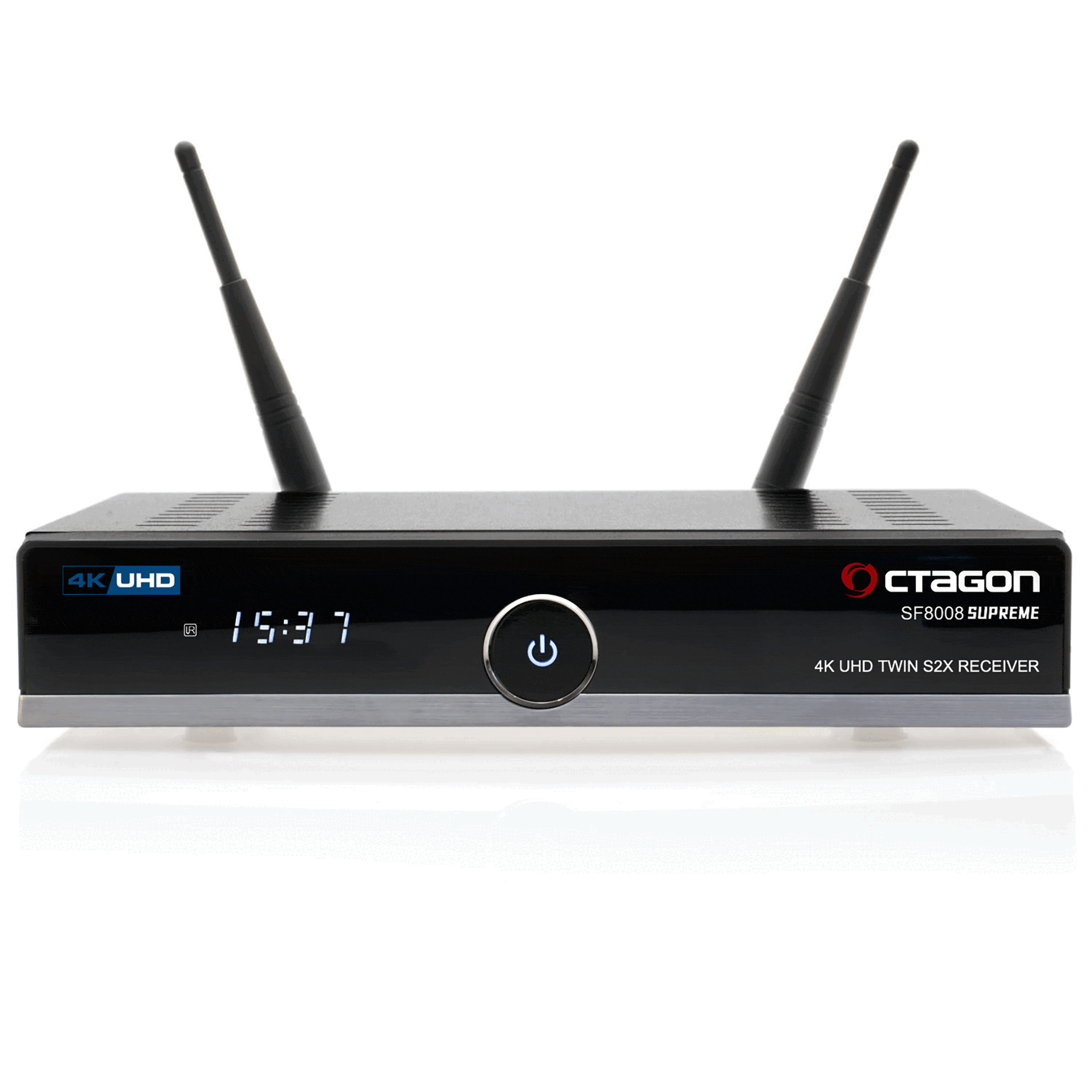
"Now In Stock... OCTAGON SF8008 V3 SUPREME 4K UHD E2 DVB-S2X TWIN (DUAL OS) Satellite Receiver With Multi-Boot!"
Bringing with it a World First - the M.2 interface for the internal integration of M.2 hard drive. $204.00 plus $15.00 for Shipping in the 48 Cont. United States!


If You Like Our Forum, Please Consider Making a Donation to Help With the Monthly Expenses to Maintain the Forum!

A Special Thank You to All who support and purchase products from Ricks Satellite! It is only by the profits made from those sales that I am able to pay for this forum.
A Continued THANK YOU to all of the SUPER POSTERS, that do such a GREAT JOB of finding and posting feeds. and thanks to the members who share their knowledge and answer questions.
It is the Entire group that makes this forum a success!

Sign up Latest Topics


Reply
  Author   Comment   Page 13 of 108     «   Prev   10   11   12   13   14   15   16   Next   »
Cjcr

Avatar / Picture

Registered:
Posts: 268
Reply with quote  #181 

I say it again. Symbol rates below <1000 is IGNORED by BDA Driver of prof-tuners (7301 only tested). Result of this: If you tuned one transponder with signal, and then you tuner another one with SR <1000 application says your have signal. but this is false.


edoh

Registered:
Posts: 146
Reply with quote  #182 
Quote:
Originally Posted by Cjcr

I say it again. Symbol rates below <1000 is IGNORED by BDA Driver of prof-tuners (7301 only tested). Result of this: If you tuned one transponder with signal, and then you tuner another one with SR <1000 application says your have signal. but this is false.


why @rys have bellow 1000 then??i`m talking about prof. 7500. it is same chip there like on 7301?

Cjcr

Avatar / Picture

Registered:
Posts: 268
Reply with quote  #183 
Quote:
why @rys have bellow 1000 then??i`m talking about prof. 7500. it is same chip there?
Driver is not the same... I stop posting more about this. This topic is for Blindscan tool by Crazycat. ok? 
edoh

Registered:
Posts: 146
Reply with quote  #184 

Quote:
Originally Posted by Cjcr
Quote:
why @rys have bellow 1000 then??i`m talking about prof. 7500. it is same chip there?
Driver is not the same... I stop posting more about this. This topic is for Blindscan tool by Crazycat. ok? 

ok, stop. nice to know is 7500 is momentary winner in game with 7100 because i have plan to buy 7500.


crazycat

Avatar / Picture

Registered:
Posts: 1,374
Reply with quote  #185 
Quote:
Originally Posted by Cjcr

I say it again. Symbol rates below <1000 is IGNORED by BDA Driver of prof-tuners (7301 only tested). Result of this: If you tuned one transponder with signal, and then you tuner another one with SR <1000 application says your have signal. but this is false.


Yes, STV090x support SR from 1000 up to 45000-50000 Ks/s. And BDA-drivers, and my StreamReaderEx BDA reject tune requsts with SR < 1000.

And many STB reject SR<1000 (say incorrect SR).

Today i try scan 16E with my devices with STV903BAB and STV0900AAC - and no result for 12680,H,330, 12681,H,330. Maybe this radio's for some specific equipment (old).

Quote:

[SATTYPE]
1=0160
2=Eutelsat W2M / Eutelsat Sesat 1 / Eurobird 16

[DVB]
0=44
1=10719,V,27500,23,1 ;-41 dBm, 10.3 dB
2=10757,V,27500,23,1 ;-40 dBm, 9.9 dB
3=10795,V,30000,34,1 ;-40 dBm, 9.0 dB
4=10834,V,27500,56,1 ;-42 dBm, 10.1 dB
5=10872,V,27500,56,1 ;-40 dBm, 10.3 dB
6=10891,H,27500,34,1 ;-42 dBm, 8.7 dB
7=10910,V,27500,56,1 ;-42 dBm, 8.3 dB
8=10929,H,27500,34,1 ;-40 dBm, 9.8 dB
9=10942,V,15000,23,1 ;-39 dBm, 9.5 dB
10=10971,V,27500,34,1 ;-40 dBm, 8.9 dB
11=10975,H,27220,23,2 ;-43 dBm, 8.2 dB
12=11006,H,4443,78,1 ;-50 dBm, 7.4 dB
13=11010,V,27500,34,1 ;-42 dBm, 8.8 dB
14=11045,H,10550,34,1 ;-53 dBm, 5.9 dB
15=11055,V,27900,23,1 ;-44 dBm, 9.0 dB
16=11061,H,5721,56,1 ;-56 dBm, 5.7 dB
17=11094,H,27300,23,1 ;-46 dBm, 6.9 dB
18=11132,V,16295,34,1 ;-53 dBm, 8.6 dB
19=11166,H,11850,34,1 ;-49 dBm, 10.6 dB
20=11177,V,27500,34,1 ;-48 dBm, 8.1 dB
21=11192,H,2666,34,1 ;-71 dBm, 5.0 dB
22=11283,H,27500,56,1 ;-40 dBm, 10.7 dB
23=11474,V,29950,34,1 ;-45 dBm, 11.1 dB
24=11509,H,30000,23,2 ;-38 dBm, 10.1 dB
25=11556,V,29950,34,1 ;-43 dBm, 10.4 dB
26=11556,H,30000,23,2 ;-38 dBm, 9.1 dB
27=11639,H,27900,23,1 ;-39 dBm, 9.2 dB
28=11676,V,30000,23,2 ;-40 dBm, 10.8 dB
29=12503,V,2156,23,1 ;-54 dBm, 4.2 dB
30=12506,V,2531,34,1 ;-51 dBm, 12.9 dB
31=12519,V,2155,23,1 ;-52 dBm, 8.1 dB
32=12524,H,30000,34,1 ;-37 dBm, 12.4 dB
33=12560,V,2820,23,1 ;-54 dBm, 7.7 dB
34=12592,V,2500,23,1 ;-47 dBm, 11.1 dB
35=12595,H,13000,34,1 ;-43 dBm, 8.4 dB
36=12596,V,2847,23,1 ;-46 dBm, 11.7 dB
37=12600,V,3925,12,1 ;-45 dBm, 12.2 dB
38=12614,V,2799,34,1 ;-48 dBm, 9.1 dB
39=12619,V,3363,34,1 ;-47 dBm, 10.9 dB
40=12631,V,4882,12,1 ;-47 dBm, 9.9 dB
41=12639,V,6510,23,1 ;-46 dBm, 13.2 dB
42=12649,H,15000,23,1 ;-43 dBm, 12.0 dB
43=12655,V,4882,12,1 ;-50 dBm, 10.4 dB
44=12695,H,5354,34,1 ;-50 dBm, 10.0 dB


__________________
Strong offset dish 0.95m on Powertech DG240 motor + ALPS BSTE8-751B Ku-Universal LNB. Variant CA-902 0.95 offset dish with 3x Ku-Universal LNBs (13E++9E+4.8E) + Variant CA-600 Ku-Circular LNB 36E + DiseqC 1.0. STB: GI8120 Lite. PC DVB: TBS 6983 PCI-E
Cjcr

Avatar / Picture

Registered:
Posts: 268
Reply with quote  #186 

@crazycat

Hi,

TeVii S470 PCI-E have possibility for blind scan?

See here:

M88DS3000/2 – Advanced DVB-S/S2 Demodulator
The M88DS3000/2 is an advanced single-chip demodulator for digital satellite television broadcasting system. It is fully compliant with the DVB-S/S2 standard and can support QPSK, 8PSK, 16APSK and 32APSK demodulation schemes. The chip provides a fast, easy-to-apply and cost-effective solution for digital satellite receiver front-end design.
The M88DS3000/2 accepts baseband differential or single-ended I and Q signals from a tuner, then digitizes, demodulates and decodes the signals, and finally outputs an MPEG transport stream. The M88DS3000/2 supports symbol rates from 1 Msps to 45 Msps, and code rates from 1/4 to 9/10. Its features cover blind scan, fade detection, timing and carrier recovery, performance monitoring, co-channel interference cancellation, command interface, and DiSEqC™ 2.X interface, etc. The device is controlled via a serial 2-wire bus.
The M88DS3000/2 works properly with 1.25 V and 3.3 V voltage supplies. Typically, the power consumption is around 350 mW.
Feature
• Multi-standard demodulation
- Compliant with DVB-S/S2 specifications
- QPSK, 8PSK, 16APSK and 32APSK demodulation schemes
- Maximum channel bit rate is 130 Mbps
- Maximum symbol rates are: 45 Msps for QPSK and 8PSK; 36 Msps for 16APSK and
28 Msps for 32APSK
• DSP features
- Symbol rate sweeping
- I/Q impairment cancellation
- Automatic spectrum inversion
- Adaptive equalizer for RF reflection removal
- Roll-off factor automatic identification
- Fast blind scan - High performance on-chip micro-controller
- Multi-error monitor
- Accurate SNR estimation
- Multi-lock indicators
- Clipping rate reporter
- DC removal
- Automatic frequency correction
- Fast timing loop acquisition
- Robust frame synchronization scheme
- Phase noise indicator
- Fast system recovery from fading or other abnormal conditions
- Co-channel interference cancellation
- Constellation monitor
• Interface
- DVB-S/S2 common, parallel and serial MPEG output interfaces compliant
- Serial 2-wire bus to configure the device
- 2-wire bus repeater for tuner configuration
- DiSEqC™ 2.X compliant interface
- General purpose output
- Dedicated reference clocks (13.5MHz / 27MHz) generation
• System
- On-chip 8-bit ADC
- On-chip PLL for system clock generation from a 27 MHz external clock or quartz
crystal
- Sleep mode supported
• Technology
- Power supplies: 1.25 V and 3.3 V
- Low power consumption: 350 mW
- Green package: LQFP 100-pin exposed pad (M88DS3000); 64-pin QFN (M88DS3002)

I tried with Tevii s470 the hispasat transponder with sr 700 and works fine!

Is great dvb-card if support blindscanning like a prof7xxx.!

crazycat

Avatar / Picture

Registered:
Posts: 1,374
Reply with quote  #187 
Quote:
Originally Posted by Cjcr

TeVii S470 PCI-E have possibility for blind scan?


Yes, TeVii S464/470/480/660 based on DS3000 demod. Same used in latest DVBWorld hardware with BlindScan support in hardware.

I plan make support DS3000-based devices support, but in far future. Maybe at fall 2011.


__________________
Strong offset dish 0.95m on Powertech DG240 motor + ALPS BSTE8-751B Ku-Universal LNB. Variant CA-902 0.95 offset dish with 3x Ku-Universal LNBs (13E++9E+4.8E) + Variant CA-600 Ku-Circular LNB 36E + DiseqC 1.0. STB: GI8120 Lite. PC DVB: TBS 6983 PCI-E
Cjcr

Avatar / Picture

Registered:
Posts: 268
Reply with quote  #188 
Quote:
Originally Posted by crazycat
Quote:
Originally Posted by Cjcr

TeVii S470 PCI-E have possibility for blind scan?


Yes, TeVii S464/470/480/660 based on DS3000 demod. Same used in latest DVBWorld hardware with BlindScan support in hardware.

I plan make support DS3000-based devices support, but in far future. Maybe at fall 2011.

Oh, great! thank you.

...What is better card in your opinion, Tevii with Ds3000 or Prof7301?

crazycat

Avatar / Picture

Registered:
Posts: 1,374
Reply with quote  #189 
i think devices with STV090x best choice for scan application.

Montage TS2020/DS3000 more 'cheap' IC's, but can receive 16APSK/CCM. And scan capabilities restricted.


__________________
Strong offset dish 0.95m on Powertech DG240 motor + ALPS BSTE8-751B Ku-Universal LNB. Variant CA-902 0.95 offset dish with 3x Ku-Universal LNBs (13E++9E+4.8E) + Variant CA-600 Ku-Circular LNB 36E + DiseqC 1.0. STB: GI8120 Lite. PC DVB: TBS 6983 PCI-E
fred

Registered:
Posts: 3
Reply with quote  #190 
hello,
where the files must be added? where put all this files

BLScan.exe
BLScan.ini
Streamreader.dll
Streamreader.ini

on C:\AltDVB\SatFiles\Transponders ??? i have a tt 1600
I have no idea  
thx
starman345

Avatar / Picture

Registered:
Posts: 640
Reply with quote  #191 
Quote:
Originally Posted by fred
hello,
where the files must be added? where put all this files

BLScan.exe
BLScan.ini
Streamreader.dll
Streamreader.ini

on C:\AltDVB\SatFiles\Transponders ??? i have a tt 1600
I have no idea  
thx
Create a folder on your drive, call it what you like and un-rar all the files in it. You can run the .exe files from there.

__________________
10' c/ku, Bullseye II Gbox 3000 90cm ku, SG-2100
Prof 7301 PCI
TBS 8922 PCI
TBS 6925 PCI-E
KP4AKB

Registered:
Posts: 450
Reply with quote  #192 
This was typed by another member I am just posting it and take "no" credit

Tempo put together this Blscan help file and I provided some translation, its rough but should help get you up and running.

The BLScan folder should contain the four files below.
BLScan.exe
BLScan.ini
Streamreader.dll
Streamreader.ini
Open the blscan.ini file and set it up for your particular hardware and preferred scanning method.
Console prog BLScan is used to blind scan satellites and generate a transponder log file which can be sent to any chosen folder, simply enter the path in the BLScan.ini. The program is set to default to Transponders, I have mine like this:
Output dir for transponders .ini files, default current dir
TPDir=C:\Documents and Settings\All Users\Application Data\CMUV\DVBViewer\Transponders
In this case Ini files are sent to the DvbViewer transponder folder on scan completion where I can then use Transedit to scan them into Dvbviewer.
BLScan also generates a .txt file to the default Reports folder within the Blscan folder, or the path you specify, it contains more detailed information of the blind scan.

All scan parameters are described in the satellite configuration file BLScan.ini. Consider it in more detail:

; Device selection (> = 0), default show device list and asks for  desired device number.
; Device = 0
It describes a device for active work program (one of DVB cards). By default, commented out the config, with this setting at startup will be given a full list of all found DVB cards. Users must choose the dvb card from the list using the number beside it.  If uncommented, this parameter uniquely describes the chosen card.
; Loop mode, default disabled (0)
; Loop = 1
Loop mode = repeat mode. If Loop = 1, the program scans the same list of frequencies repeatedly in a loop, and generates an .ini file which contains in the file name the number of the step scan. Stopping the loop at any given time is possible when you press and hold ESC, or forced shutdown by pressing CTRL + C.
If Loop = 0 or the parameter is commented out, the program scans the specified range of frequencies once, then exits.
; Output dir for detailed reports. Txt files, default current dir
ReportDir = Reports
; Output dir for transponders. Ini files, default current dir
TPDir = Transponders
It specifies the directory for saving logs  BLScan saves the logs in two files, . Ini file is a standard transponder list, used by many viewers, . Txt file contains detailed information about detected signals.
If you comment out the line, the logs will be stored in the same folder with  blscan.exe
[SatInfo]
; Satellite position (0-3599)
SatPos = 0315
Describes the orbital position of satellites, the number is used to log file names, ie 0315.ini
; Satellite name for transponder ini
SatName = Astra 1G
; Low LOF in Mhz, default 9750
LOF1 = 9750
; High LOF in Mhz, default 10600
LOF2 = 10600
; LOF Switch in Mhz, default 11700
LOFSW = 11700
Describes respectively, lower, upper frequency lof and LO frequency at which the switching sub-band signal of 22 kHz. Depends on the lnb. The above parameters are used for Universal LNB, for other lof lnbs you can peek into CrazyScan.
 
; DiseqC 1.0 port (1-4), default disabled (0)
DiseqC = 2
Port used DiSEqC 1.0. If 0 or commented out, then DiSEqC-command isn't sent.
; Transponder ini format.
, 0 - Technotrend, default
, 1 - AltDVB
2 - DVBDream
3 - DVBViewer
4 - SichboPVR
IniFormat = 1
The Chosen format will generate a log to the transponder list.
; Search interval 0 definition
[Scan0]
Header describing the range of scanning frequencies. There can be an unlimited number of bands with names [Scan0], [Scan1], [Scan2], etc.
; Polarisation - 0; H; Horizontal, 1; V; Vertical, 2; L; Left, 3; R; Right
Pol = H
The choice of polarization. One band should correspond to only one polarization from the list above. To scan both polarizations separate band setups are required (as in - [Scan0] and [Scan1]). Check the blscan.ini file for sample setup.
; Start frequency in Mhz, default minimum freq for selected LOFs
Start = 11700
; Stop frequency in Mhz, default maximum freq for selected LOFs
Stop = 12200
; Frequency step & search range in Mhz, default 5
Step = 10
Accordingly, the initial and final frequency of scanning range and step of increasing middle frequency of search (carrier sought in a small range around this mean frequency). I can recommend the choice of the step not above 4...5MHz, if you need to find low SR transponders (from approximately SR = 800), if using higher step signals can be missed.
; Minimal symbol rate for BlindScan in KS (1000-50000), default 1000
MinSR = 1000
Important parameter scan, the minimum symbol rate. For low SR transponders recommend choosing MinSR = 1000.But on the other hand, smaller values increase the time of blind search. To scan DBS satellites where known srs are 20000 and up, set to 20000 and the scan is faster.
This is my setup for scanning both horizontal and vertical sides of a C Band satellite:
[Scan0]
; Polarisation - 0;H;Horizontal, 1;V;Vertical, 2;L;Left, 3;R;Rigth
Pol=H
; Start frequency in Mhz, default minimum freq for selected LOFs
Start=3700
; Stop frequency in Mhz, default maximum freq for selected LOFs
Stop=4200
; Frequency step & search range in Mhz, default 5
Step=4
; Minimal symbol rate for BlindScan in KS (1000-50000), default 1000
MinSR=1000
; Search interval 1 definition
[Scan1]
Start=3700
Stop=4200
Step=4
MinSR=1000
Pol=V


__________________
Ed Rios from Columbus, OH
90cm Ku dish with Invacom LNB - 10' C-band H-H with BSC421 LNBF 1.2 Andrew Ku
Spaun DiSEqC - Prof-7301 & TT--S2-3200
fred

Registered:
Posts: 3
Reply with quote  #193 
ok thx its work but low SR not found on tt 1600
omicom rev 2,3 card costs 290$ only because 16-32APSK throw out any money.
The new Azbox Me can also 16-32 APSK  and costs less than 200€
waiting summer
crazycat

Avatar / Picture

Registered:
Posts: 1,374
Reply with quote  #194 
Quote:
Originally Posted by fred
ok thx its work but low SR not found on tt 1600


BLScan&CrazyScan + S2-1600 can't found LowSR transponders (1000-2000Ks) ?
Or Technotrend driver can't lock SR=1000-1300 in DVB-soft ?

Quote:
omicom rev 2,3 card costs 290$ only because 16-32APSK throw out any money.
The new Azbox Me can also 16-32 APSK  and costs less than 200€
waiting summer


Standard Omicom S2 with STV0903BAC cost 50-60$ in exUSSR. But devices with old STV0903BAB work better in my scan soft and better lock ultra low SR transponders (1000-1300).

'Advanced' Omicom S2 with STV0900AAC produced for B2B-clients and price depends from quantity. So real price ~200$. This device supported in my scan soft, but old STV0903BAB always better


__________________
Strong offset dish 0.95m on Powertech DG240 motor + ALPS BSTE8-751B Ku-Universal LNB. Variant CA-902 0.95 offset dish with 3x Ku-Universal LNBs (13E++9E+4.8E) + Variant CA-600 Ku-Circular LNB 36E + DiseqC 1.0. STB: GI8120 Lite. PC DVB: TBS 6983 PCI-E
fred

Registered:
Posts: 3
Reply with quote  #195 
ok i checked it and found more low sr on tt 1600
Omicom S2 high price.not for me,not only for apsk
one tv card costs here 50-60€.

Previous Topic | Next Topic
Print
Reply

Quick Navigation:

Easily create a Forum Website with Website Toolbox.

Fellow Members, your posts are welcome here! Do not worry about posting everything perfect. Different receivers and LNB's will give you different Frequencies and Symbol Rates. Some set top boxes, PCI cards and USB receivers, Do Not Require all of the same information that others may need. It is not Required to post everything that others may need to tune in a feed. It is just most important to share the find. We can always adjust the Frequency and Symbol Rates and try the various Modulations and FEC's on our own receivers until we get a lock and then give a polite reply with what works for your receiver, as that information might help others as well. We all appreciate the efforts and energy of the Posters!

Thank You for Visiting GOFASTMOTORSPORTS.com - Keep Your Eyes on the Sky and the Track!