Welcome to "RICKS SATELLITE WILDFEED & BACKHAUL FORUM"... ... ... Brought to you by "RICKS SATELLITE USA" - "Where the Big Dish Rules!"... ... ... In Association with "GOFASTMOTORSPORTS.com" ... ... ... Green Flag - Green Flag - Go Go Go ... ...

Donate
Ricks Satellite Wildfeed and Backhaul Forum

This Forum is Brought to you by "Ricks Satellite"
www.RicksSatelliteUSA.com or www.GoFastMotorsports.com or call 816-228-1801
Your US Supplier for Free To Air Digital Receivers, Feed Horns, LNB's & LNBF's, Venture Made in the USA Actuator Arms and many other products!

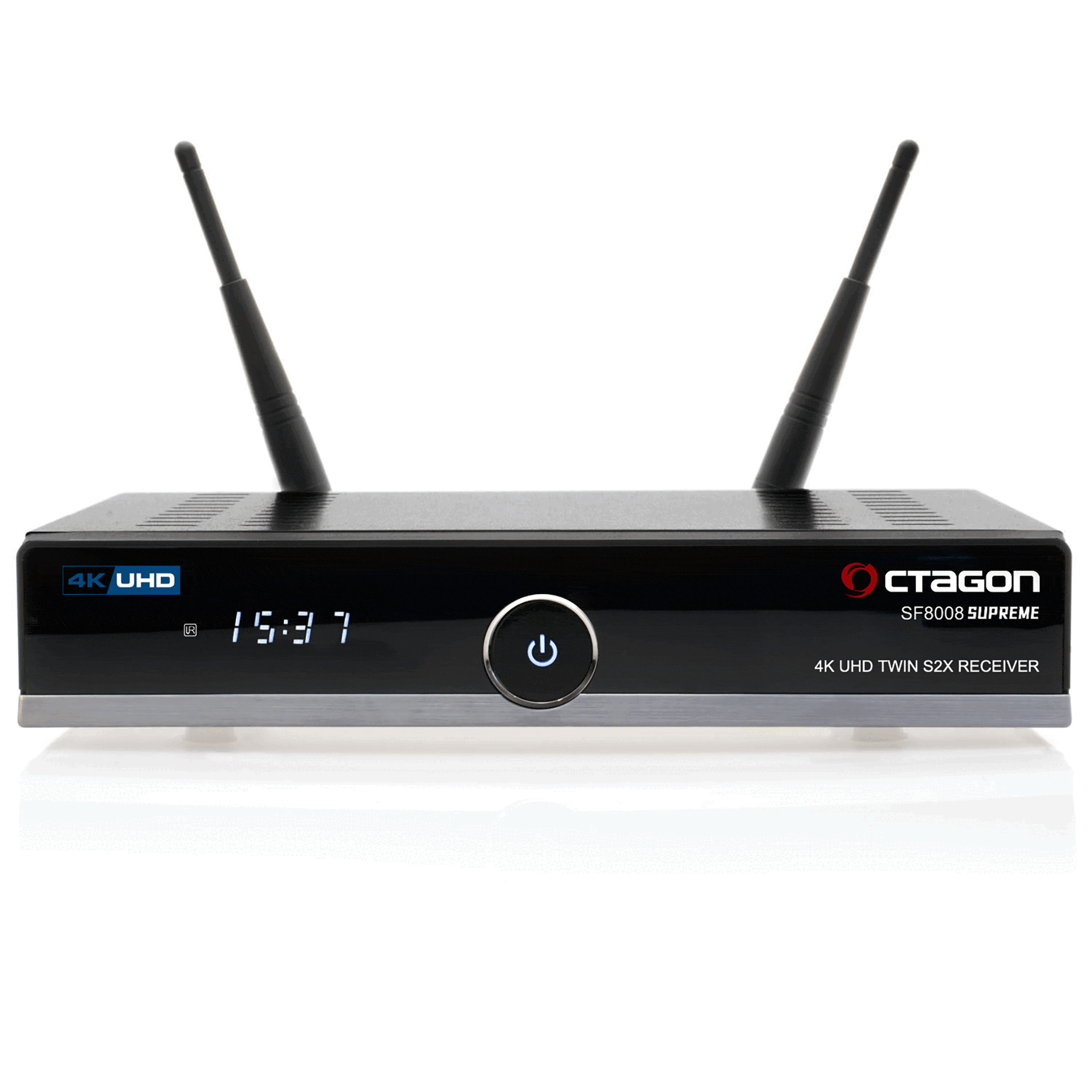
"Now In Stock... OCTAGON SF8008 V3 SUPREME 4K UHD E2 DVB-S2X TWIN (DUAL OS) Satellite Receiver With Multi-Boot!"
Bringing with it a World First - the M.2 interface for the internal integration of M.2 hard drive. $204.00 plus $15.00 for Shipping in the 48 Cont. United States!


If You Like Our Forum, Please Consider Making a Donation to Help With the Monthly Expenses to Maintain the Forum!

A Special Thank You to All who support and purchase products from Ricks Satellite! It is only by the profits made from those sales that I am able to pay for this forum.
A Continued THANK YOU to all of the SUPER POSTERS, that do such a GREAT JOB of finding and posting feeds. and thanks to the members who share their knowledge and answer questions.
It is the Entire group that makes this forum a success!

Sign up Latest Topics


Reply
  Author   Comment   Page 106 of 108     «   Prev   103   104   105   106   107   108   Next
photoman76

Registered:
Posts: 14,460
Reply with quote  #1576 
Quote:
Originally Posted by TheSatBible


have you tried font size or font scaling options to see if it fixes things?


If I set scaling to 100%, the Carrier Search and Constellation box is correct, but everything on the screen is way too small to read.  I have the scaling set at 200% and all other programs and apps are fine.

babadem

Avatar / Picture

Registered:
Posts: 1,642
Reply with quote  #1577 
Quote:
Originally Posted by photoman76


If I set scaling to 100%, the Carrier Search and Constellation box is correct, but everything on the screen is way too small to read.  I have the scaling set at 200% and all other programs and apps are fine.


After you change settings, did you sign out and sign back in as suggested by windows 10? This fixes the issues most times.

__________________
AZBox Me, Edision OS MIO 4K, Octagon SF8008/Define 6.3 OS and TBS 6903-X. DG-380 Motor (43.1°W to 129.0°W), on 1.2M Geosat Pro.  3ABN Dish @30.0°W. 2nd 1.2M looking @91.0°W KU. 12FT Paraclipse Dish looking from 37.5°W to 111.1°W.[cool]
Ricardo's geo-orbit archive: https://web.archive.org/web/20071202191450/http://www.geo-orbit.org:80/sizepgs/tuningp2.html
photoman76

Registered:
Posts: 14,460
Reply with quote  #1578 
Quote:
Originally Posted by babadem

After you change settings, did you sign out and sign back in as suggested by windows 10? This fixes the issues most times.


I've signed out and back in too many times to count.[smile]

Stefan2k15

Registered:
Posts: 216
Reply with quote  #1579 
Don't know what your problem is, but here's something to think about. If it shows up to the rest of us in a screen capture, it must be in software and not an issue with your monitor. Screen captures are going to come from frame buffer memory in your video card. Therefore, if it was actually a problem with your monitor, your screen captures would probably look normal to the rest of us. Uninstalling and reinstalling your video card drivers might be something to try at this point since you seemed to have already tried all the obvious. Just a thought.
superhero55

Registered:
Posts: 2,390
Reply with quote  #1580 
crazycat,

I have an interesting issue. Running TBS 6983, a Prof 7301, and a TBS 6982 all on same machine and open in individual CrazyScan programs.

the TBS 6982 is odd. I can 'scan', open the Carrier Search window and send to TSReader just fine. However, if I BlindScan the entire satellite on the 6982, it will Blind Scan fine, but then when I go to Carrier search window, and try to send to TSReader, it doesn't show any packets sending and TSReader shows 0 bytes incoming (nothing populates). If I restart the computer, the problem is fixed -- until I BlindScan again on the 6982, then I can't get anything to send from CrazyScan -> TSReader.

System: Win7Ultimate, CrazyScan 1.0.2.146 (altho, I did try 1.0.2.160 to see if the problem is fixed/different, but it is the same in that version as well).

any input, greatly appreciated!

Thanks.
photoman76

Registered:
Posts: 14,460
Reply with quote  #1581 
Quote:
Originally Posted by Stefan2k15
Don't know what your problem is, but here's something to think about. If it shows up to the rest of us in a screen capture, it must be in software and not an issue with your monitor. Screen captures are going to come from frame buffer memory in your video card. Therefore, if it was actually a problem with your monitor, your screen captures would probably look normal to the rest of us. Uninstalling and reinstalling your video card drivers might be something to try at this point since you seemed to have already tried all the obvious. Just a thought.


I did get a new video card (Nvidia Geforce GTX 1060) at the same time as the new 4K monitor.
Unistalling and reinstalling the drivers didn't help.
Also, the Positioner Box is messed up.
PositionerBox.jpg 


sat45

Registered:
Posts: 146
Reply with quote  #1582 
Seems for me some DPI issue. It is possible to set DPI per app in Windows, try these steps: https://www.windowscentral.com/how-change-high-dpi-settings-classic-apps-windows-10-april-2018-update
photoman76

Registered:
Posts: 14,460
Reply with quote  #1583 
Quote:
Originally Posted by sat45
Seems for me some DPI issue. It is possible to set DPI per app in Windows, try these steps: https://www.windowscentral.com/how-change-high-dpi-settings-classic-apps-windows-10-april-2018-update


High DPI Scaling Override - System (Enhanced) fixed it.
Thank you for the link and to all others for their suggestions.
iccoldbeer

Registered:
Posts: 94
Reply with quote  #1584 
Is the Geniatech X9320 supported? I think it has montage tuner and m88ds3103as demod. So may be a partial support device with blscan2?
 
crazycat

Avatar / Picture

Registered:
Posts: 1,374
Reply with quote  #1585 
Windows driver for mystical Geniatech X9320 available ?
__________________
Strong offset dish 0.95m on Powertech DG240 motor + ALPS BSTE8-751B Ku-Universal LNB. Variant CA-902 0.95 offset dish with 3x Ku-Universal LNBs (13E++9E+4.8E) + Variant CA-600 Ku-Circular LNB 36E + DiseqC 1.0. STB: GI8120 Lite. PC DVB: TBS 6983 PCI-E
superhero55

Registered:
Posts: 2,390
Reply with quote  #1586 
Quote:
Originally Posted by crazycat
Windows driver for mystical Geniatech X9320 available ?


can't find it on their website, which is odd! They have the product listed under Product List, but the Driver download page doesn't have it. [frown]

did you see my question in post 1580?
https://rickcaylor.websitetoolbox.com/post/show_single_post?pid=1305962126&postcount=1580&forum=106995
crazycat

Avatar / Picture

Registered:
Posts: 1,374
Reply with quote  #1587 
I try reproduce your issue with 6982, but all work ok. Maybe you try lock some generic continous stream ?
try latest test StreamReaderEx - http://crazycat69.narod.ru/sattelite/StreamReaderEx/test/StreamReaderExEx-BDA.rar

__________________
Strong offset dish 0.95m on Powertech DG240 motor + ALPS BSTE8-751B Ku-Universal LNB. Variant CA-902 0.95 offset dish with 3x Ku-Universal LNBs (13E++9E+4.8E) + Variant CA-600 Ku-Circular LNB 36E + DiseqC 1.0. STB: GI8120 Lite. PC DVB: TBS 6983 PCI-E
sat45

Registered:
Posts: 146
Reply with quote  #1588 
Have You changed something related to BLScan2 between latest stable StreamReaderExEx-BDA and current test one? On TBS6903 on latest test version if CrazyScan will found with BlindScan (on BlindScan2) some low SR ~1 MHz - it will hang (not crash, just stuck, no progress, need to kill CrazyScan). No such problem on stable StreamReaderExEx-BDA.
crazycat

Avatar / Picture

Registered:
Posts: 1,374
Reply with quote  #1589 
Fixed now
http://crazycat69.narod.ru/sattelite/StreamReaderEx/test/StreamReaderExEx-BDA.rar

__________________
Strong offset dish 0.95m on Powertech DG240 motor + ALPS BSTE8-751B Ku-Universal LNB. Variant CA-902 0.95 offset dish with 3x Ku-Universal LNBs (13E++9E+4.8E) + Variant CA-600 Ku-Circular LNB 36E + DiseqC 1.0. STB: GI8120 Lite. PC DVB: TBS 6983 PCI-E
sat45

Registered:
Posts: 146
Reply with quote  #1590 
Confirmed - fixed 😉 Thanks 😉
Previous Topic | Next Topic
Print
Reply

Quick Navigation:

Easily create a Forum Website with Website Toolbox.

Fellow Members, your posts are welcome here! Do not worry about posting everything perfect. Different receivers and LNB's will give you different Frequencies and Symbol Rates. Some set top boxes, PCI cards and USB receivers, Do Not Require all of the same information that others may need. It is not Required to post everything that others may need to tune in a feed. It is just most important to share the find. We can always adjust the Frequency and Symbol Rates and try the various Modulations and FEC's on our own receivers until we get a lock and then give a polite reply with what works for your receiver, as that information might help others as well. We all appreciate the efforts and energy of the Posters!

Thank You for Visiting GOFASTMOTORSPORTS.com - Keep Your Eyes on the Sky and the Track!