Welcome to "RICKS SATELLITE WILDFEED & BACKHAUL FORUM"... ... ... Brought to you by "RICKS SATELLITE USA" - "Where the Big Dish Rules!"... ... ... In Association with "GOFASTMOTORSPORTS.com" ... ... ... Green Flag - Green Flag - Go Go Go ... ...

Donate
Ricks Satellite Wildfeed and Backhaul Forum

This Forum is Brought to you by "Ricks Satellite"
www.RicksSatelliteUSA.com or www.GoFastMotorsports.com or call 816-228-1801
Your US Supplier for Free To Air Digital Receivers, Feed Horns, LNB's & LNBF's, Venture Made in the USA Actuator Arms and many other products!

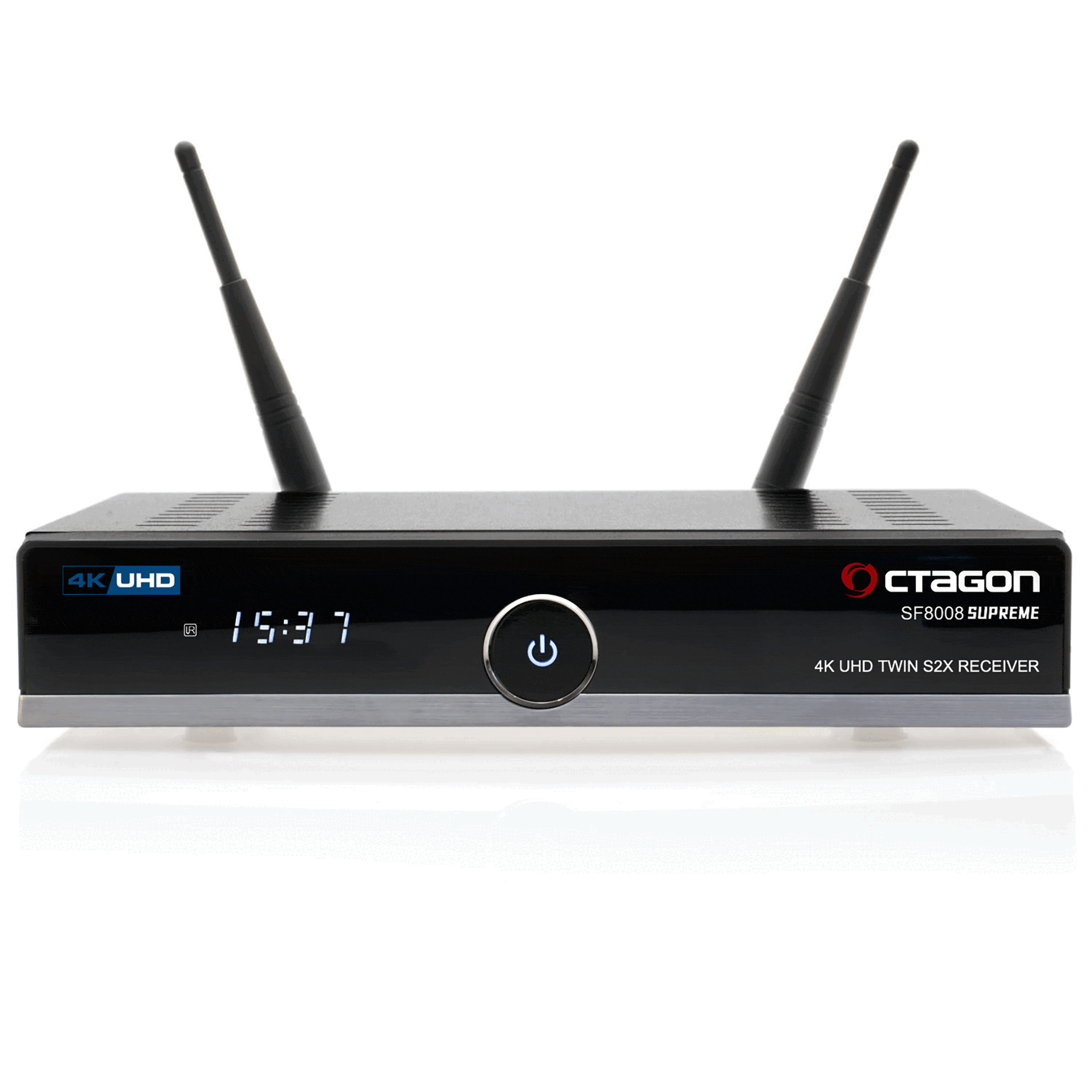
"Now In Stock... OCTAGON SF8008 V3 SUPREME 4K UHD E2 DVB-S2X TWIN (DUAL OS) Satellite Receiver With Multi-Boot!"
Bringing with it a World First - the M.2 interface for the internal integration of M.2 hard drive. $204.00 plus $15.00 for Shipping in the 48 Cont. United States!


If You Like Our Forum, Please Consider Making a Donation to Help With the Monthly Expenses to Maintain the Forum!

A Special Thank You to All who support and purchase products from Ricks Satellite! It is only by the profits made from those sales that I am able to pay for this forum.
A Continued THANK YOU to all of the SUPER POSTERS, that do such a GREAT JOB of finding and posting feeds. and thanks to the members who share their knowledge and answer questions.
It is the Entire group that makes this forum a success!

Sign up Latest Topics


Reply
  Author   Comment   Page 105 of 108     «   Prev   102   103   104   105   106   107   108   Next
mansourselmy

Registered:
Posts: 63
Reply with quote  #1561 
I always use BDA Driver which give perfect signals...It works well with Crazyscan and EBSPro, but it doesn't work with Blind Scanner of DVB Dream so I have to use StreamReaderEx ..
__________________
TBS 6908
crazycat

Avatar / Picture

Registered:
Posts: 1,374
Reply with quote  #1562 
CrazyScan and EBSPro also use my StreamReaderEx-BDA 😉 Use BLScan2 mode for better result.
__________________
Strong offset dish 0.95m on Powertech DG240 motor + ALPS BSTE8-751B Ku-Universal LNB. Variant CA-902 0.95 offset dish with 3x Ku-Universal LNBs (13E++9E+4.8E) + Variant CA-600 Ku-Circular LNB 36E + DiseqC 1.0. STB: GI8120 Lite. PC DVB: TBS 6983 PCI-E
bluemax

Registered:
Posts: 2
Reply with quote  #1563 
Hello,

I have TBS 5520 SE and unfortunately CrazyScan does not finish blind scanning. Please see screenshot below.

As soon as the following frequency (12235 V 4000, Türksat 3A/4A @ 42° East) is reached the search will not continue. 

I've tried the latest StreamReaderEx-BDA 1.2.4.65 and older versions as well but it does not work properly. Blind scan will never complete even if I don't use BlindScan 2 option. With the slower blind scan method it is much worse. It shuttles between two frequencies and never goes on. The only solution I've found is to remove the device. Then blind scan stops.

I also tried EBSPro and once it hits this magical frequency it stops right there and the green LED light of TBS 5520 SE keeps flashing. But in EBSPro BLScan (slower) is functioning very well. 


Does anyone have a suggestion for this issue?

Here is the StreamReader.log:

11:47:35 - 08/07/2018 StreamReaderEx BDA Ver:1.2.4.52-commited (Feb  3 2018, 19:08:52)
11:47:35 - 08/07/2018 Log level = 1
11:47:35 - 08/07/2018 DLL_PROCESS_ATTACH hModule = 5F430000
11:47:35 - 08/07/2018 CheckForDVBExEx(0x04E74F86)
11:47:35 - 08/07/2018 PID filtering disabled !
11:47:35 - 08/07/2018 Power-off LNB on exit: ENABLED
11:47:35 - 08/07/2018 SendDiSEqC use 2 repeats
11:47:35 - 08/07/2018 Default modulation: AUTO
11:47:35 - 08/07/2018 Default spectral inversion: AUTO
11:47:36 - 08/07/2018 Default pilot: AUTO
11:47:36 - 08/07/2018 Default rolloff: AUTO
11:47:36 - 08/07/2018 Preffered BDA device type: AUTO
11:47:36 - 08/07/2018 Allowed IF Freq 950-2150 Mhz
11:47:36 - 08/07/2018 Inverted LOF<6000 and >21000 Mhz
11:47:36 - 08/07/2018 Available BDA-devices:
11:47:36 - 08/07/2018 Device 0
11:47:36 - 08/07/2018   Name: TBS 5520 BDA Tuner
11:47:36 - 08/07/2018   Type: DVB-S/S2
11:47:36 - 08/07/2018   Index: 0
11:47:36 - 08/07/2018 StartDVBEx(0)
11:47:36 - 08/07/2018 Device_ID: 0
11:47:36 - 08/07/2018 Use Device 0
11:47:36 - 08/07/2018   Tuner filter: TBS 5520 BDA Tuner
11:47:36 - 08/07/2018   Capture filter: TBS 5520 BDA Capture
11:47:36 - 08/07/2018 Input num 0
11:47:37 - 08/07/2018 Sat chip info - Airoha AV2018
11:47:37 - 08/07/2018 Ter chip info - Si2157-A30 ROM50 NVM3_0b5, running 'FW_3_0b5'
11:47:37 - 08/07/2018 Demod chip info - Si2183-B60 ROM2 NVM6_0b1, running 'FW_6_0b2'
11:47:37 - 08/07/2018 Turbosight Si2183 direct control used !
11:47:37 - 08/07/2018 RFScan delay = 5 ms
11:47:37 - 08/07/2018 Turbosight (QBOX - Cypress FX2 based) BDA extension used !
11:47:37 - 08/07/2018 + Turbosight BlindScan support with Unknown
11:47:37 - 08/07/2018 + Turbosight IR control support
11:47:37 - 08/07/2018 + Turbosight CI support
11:47:37 - 08/07/2018 + Turbosight I2C access support
11:47:37 - 08/07/2018 + Turbosight fast LNB control support
11:47:37 - 08/07/2018 + Turbosight SignalEx support
11:47:37 - 08/07/2018 + Turbosight MIS filtering support
11:47:37 - 08/07/2018 + Turbosight PLS control support
11:47:37 - 08/07/2018 SetChannelExEx(12750000, 30000000, 0, 0, 9750000, 10600000, 11700000, 1, 0, 0, 0)
11:47:39 - 08/07/2018 Not lock !
11:48:42 - 08/07/2018 SetChannelExEx(11621822, 2222000, 1, 5, 9750000, 10600000, 11700000, 1, 0, 0, 0)
11:48:43 - 08/07/2018 Signal RFLevel=-42 dBm
11:48:43 - 08/07/2018 Locked: SNR=11.750000 dB, BER=1.000000, Level=100%, Quality=0%
11:48:43 - 08/07/2018 Current Frequency: 11621.789 Mhz
11:48:43 - 08/07/2018 Current SymbolRate: 2222 KS/s
11:48:43 - 08/07/2018 Current Spectral Inversion: NORMAL
11:48:43 - 08/07/2018 Current Modulation: QPSK
11:48:43 - 08/07/2018 Current Inner FEC Method: Viterbi
11:48:43 - 08/07/2018 Current Inner FEC Rate: 5/6
11:48:43 - 08/07/2018 Current Outer FEC Method: Reed-Solomon 204/188
11:48:43 - 08/07/2018 Current Pilot: AUTO
11:48:43 - 08/07/2018 Current RollOff: 0.35
11:48:43 - 08/07/2018 DelFilter(0)
11:48:43 - 08/07/2018 Filter with ID 0 not exists !
11:48:43 - 08/07/2018 SetFilter(8192, 0x04E7545E, 4, 1, 0x02988BB8)
11:48:43 - 08/07/2018 filter_num=0
11:49:11 - 08/07/2018 SetChannelExEx(11649841, 13601000, 1, 2, 9750000, 10600000, 11700000, 1, 0, 0, 0)
11:49:11 - 08/07/2018 Signal RFLevel=-38 dBm
11:49:11 - 08/07/2018 Locked: SNR=10.500000 dB, BER=1.000000, Level=100%, Quality=0%
11:49:11 - 08/07/2018 Current Frequency: 11649.806 Mhz
11:49:11 - 08/07/2018 Current SymbolRate: 13601 KS/s
11:49:11 - 08/07/2018 Current Spectral Inversion: NORMAL
11:49:11 - 08/07/2018 Current Modulation: QPSK
11:49:11 - 08/07/2018 Current Inner FEC Method: Viterbi
11:49:11 - 08/07/2018 Current Inner FEC Rate: 2/3
11:49:11 - 08/07/2018 Current Outer FEC Method: Reed-Solomon 204/188
11:49:11 - 08/07/2018 Current Pilot: AUTO
11:49:11 - 08/07/2018 Current RollOff: 0.35
11:49:11 - 08/07/2018 DelFilter(0)
11:49:11 - 08/07/2018 SetFilter(8192, 0x04E7545E, 4, 1, 0x02988BB8)
11:49:11 - 08/07/2018 filter_num=1
11:50:15 - 08/07/2018 SetChannelExEx(11053825, 30001000, 1, 3, 9750000, 10600000, 11700000, 2, 0, 0, 0)
11:50:15 - 08/07/2018 Signal RFLevel=-32 dBm
11:50:15 - 08/07/2018 Locked: SNR=9.500000 dB, BER=1.000000, Level=100%, Quality=0%
11:50:15 - 08/07/2018 Current Frequency: 11053.770 Mhz
11:50:15 - 08/07/2018 Current SymbolRate: 30001 KS/s
11:50:15 - 08/07/2018 Current Spectral Inversion: NORMAL
11:50:15 - 08/07/2018 Current Modulation: 8PSK
11:50:15 - 08/07/2018 Current Inner FEC Method: Low Density Parity Check
11:50:15 - 08/07/2018 Current Inner FEC Rate: 3/4
11:50:15 - 08/07/2018 Current Outer FEC Method: Bose-Chaudhuri-Hocquenghem
11:50:15 - 08/07/2018 Current Pilot: ON
11:50:15 - 08/07/2018 Current RollOff: 0.20
11:50:15 - 08/07/2018 Current Frame Type: Long
11:50:15 - 08/07/2018 Current Coding Mode: CCM
11:50:15 - 08/07/2018 Current Stream Type: Transport
11:50:15 - 08/07/2018 Current Input Stream: Single
11:50:15 - 08/07/2018 DelFilter(1)
11:50:15 - 08/07/2018 SetFilter(8192, 0x04E7545E, 4, 1, 0x02988BB8)
11:50:15 - 08/07/2018 filter_num=2
11:55:09 - 08/07/2018 Scan decision timeout (blind_mode = 1)
11:56:43 - 08/07/2018 Scan decision timeout (blind_mode = 1)
11:58:33 - 08/07/2018 Scan decision timeout (blind_mode = 1)
12:05:04 - 08/07/2018 Scan decision timeout (blind_mode = 1)
12:12:19 - 08/07/2018 DelFilter(2)
12:12:19 - 08/07/2018 StopDVB()
12:12:19 - 08/07/2018 LNB power-off ok !
12:12:19 - 08/07/2018 DLL_PROCESS_DETACH hModule = 5F430000


[8b072c84369]
crazycat

Avatar / Picture

Registered:
Posts: 1,374
Reply with quote  #1564 
some bugs in silabs blindscan algo 😉
__________________
Strong offset dish 0.95m on Powertech DG240 motor + ALPS BSTE8-751B Ku-Universal LNB. Variant CA-902 0.95 offset dish with 3x Ku-Universal LNBs (13E++9E+4.8E) + Variant CA-600 Ku-Circular LNB 36E + DiseqC 1.0. STB: GI8120 Lite. PC DVB: TBS 6983 PCI-E
bluemax

Registered:
Posts: 2
Reply with quote  #1565 
Quote:
Originally Posted by crazycat
some bugs in silabs blindscan algo 😉


Thank you crazycat. I accidentally solved it.
I simply changed Dup. TP value from 1000 to 2000 kHz and it is working perfectly with EBSPro and StreamReaderEx-BDA 1.2.4.65 now.

// EDIT: It worked 
twice in a row and I could finish scanning twice but now it is not working anymore. Lol. This is some weird stuff.


asd.png 
photoman76

Registered:
Posts: 14,460
Reply with quote  #1566 
I upgraded my computer monitor from an HD monitor to a LG 4K monitor.

Now the constellation pop up box is tiny and the text is all messed up.
This is what it looks like:

Crazyscan.jpg 
Anyone else have this problem with a 4K monitor?
Any idea how to fix it so it displays properly?


babadem

Avatar / Picture

Registered:
Posts: 1,642
Reply with quote  #1567 
Change your PC Resolution.
__________________
AZBox Me, Edision OS MIO 4K, Octagon SF8008/Define 6.3 OS and TBS 6903-X. DG-380 Motor (43.1°W to 129.0°W), on 1.2M Geosat Pro.  3ABN Dish @30.0°W. 2nd 1.2M looking @91.0°W KU. 12FT Paraclipse Dish looking from 37.5°W to 111.1°W.[cool]
Ricardo's geo-orbit archive: https://web.archive.org/web/20071202191450/http://www.geo-orbit.org:80/sizepgs/tuningp2.html
photoman76

Registered:
Posts: 14,460
Reply with quote  #1568 
Quote:
Originally Posted by babadem
Change your PC Resolution.


Changing the resolution to 1920 x 1080 does fix it, but it kind of defeats the purpose of having a 4K monitor.  I don't think I want to keep changing it every time I use Crazyscan.
TheSatBible

Registered:
Posts: 889
Reply with quote  #1569 
what happens if you change the font sizes?
voomvoom

Avatar / Picture

Registered:
Posts: 2,244
Reply with quote  #1570 
Here I have:
off brand monitor SEIKI 4k2k
inputing with HDMI from Win7 OS
and these snapshots:

fullscreensnip.jpg 
screenresolution.jpg 
crazyscan.jpg 
constellation.jpg 

the scan is from 97.0w
constellation of 3890 h 12499


__________________
If I don't answer right away, give me a few, I'm probably chasing 16Apsk and/or 32Apsk
descite

Registered:
Posts: 2
Reply with quote  #1571 

Hello, photoman76


change you display scaling to 100% and try then...

Stefan2k15

Registered:
Posts: 216
Reply with quote  #1572 
Check in control panel for an item labeled "Make text and other items larger or smaller" under Appearance and personalization. 
crazycat

Avatar / Picture

Registered:
Posts: 1,374
Reply with quote  #1573 
Quote:
Originally Posted by photoman76
I upgraded my computer monitor from an HD monitor to a LG 4K monitor.

Now the constellation pop up box is tiny and the text is all messed up.
This is what it looks like:
 
Anyone else have this problem with a 4K monitor?
Any idea how to fix it so it displays properly?


Check latest test builds:
http://crazycat69.narod.ru/sattelite/StreamReaderEx/test/CrazyScan.rar
http://crazycat69.narod.ru/sattelite/StreamReaderEx/test/CrazyScan2.rar
http://crazycat69.narod.ru/sattelite/StreamReaderEx/test/StreamReaderExEx-BDA.rar

You can select fixed Qt GUI style (on Style tab). Usual Qt set it depend from detected environment (win version) and Qt 4.8.x optimized maximum for Win Vista/7. Some users prefer classic Win or WinXP GUI style. Some exotic X11 styles like Motif, CDE and etc present.

Attached Images
Click image for larger version - Name: CS2-GuiStyle.png, Views: 17, Size: 182.71 KB 

__________________
Strong offset dish 0.95m on Powertech DG240 motor + ALPS BSTE8-751B Ku-Universal LNB. Variant CA-902 0.95 offset dish with 3x Ku-Universal LNBs (13E++9E+4.8E) + Variant CA-600 Ku-Circular LNB 36E + DiseqC 1.0. STB: GI8120 Lite. PC DVB: TBS 6983 PCI-E

photoman76

Registered:
Posts: 14,460
Reply with quote  #1574 
Thanks.  I tried the latest test build, but the Carrier Search and Constellation box is still the same as before no matter which Qt GUI style I select.
TheSatBible

Registered:
Posts: 889
Reply with quote  #1575 
Quote:
Originally Posted by photoman76
Thanks.  I tried the latest test build, but the Carrier Search and Constellation box is still the same as before no matter which Qt GUI style I select.


have you tried font size or font scaling options to see if it fixes things?


Previous Topic | Next Topic
Print
Reply

Quick Navigation:

Easily create a Forum Website with Website Toolbox.

Fellow Members, your posts are welcome here! Do not worry about posting everything perfect. Different receivers and LNB's will give you different Frequencies and Symbol Rates. Some set top boxes, PCI cards and USB receivers, Do Not Require all of the same information that others may need. It is not Required to post everything that others may need to tune in a feed. It is just most important to share the find. We can always adjust the Frequency and Symbol Rates and try the various Modulations and FEC's on our own receivers until we get a lock and then give a polite reply with what works for your receiver, as that information might help others as well. We all appreciate the efforts and energy of the Posters!

Thank You for Visiting GOFASTMOTORSPORTS.com - Keep Your Eyes on the Sky and the Track!