Welcome to "RICKS SATELLITE WILDFEED & BACKHAUL FORUM"... ... ... Brought to you by "RICKS SATELLITE USA" - "Where the Big Dish Rules!"... ... ... In Association with "GOFASTMOTORSPORTS.com" ... ... ... Green Flag - Green Flag - Go Go Go ... ...

Donate
Ricks Satellite Wildfeed and Backhaul Forum

This Forum is Brought to you by "Ricks Satellite"
www.RicksSatelliteUSA.com or www.GoFastMotorsports.com or call 816-228-1801
Your US Supplier for Free To Air Digital Receivers, Feed Horns, LNB's & LNBF's, Venture Made in the USA Actuator Arms and many other products!

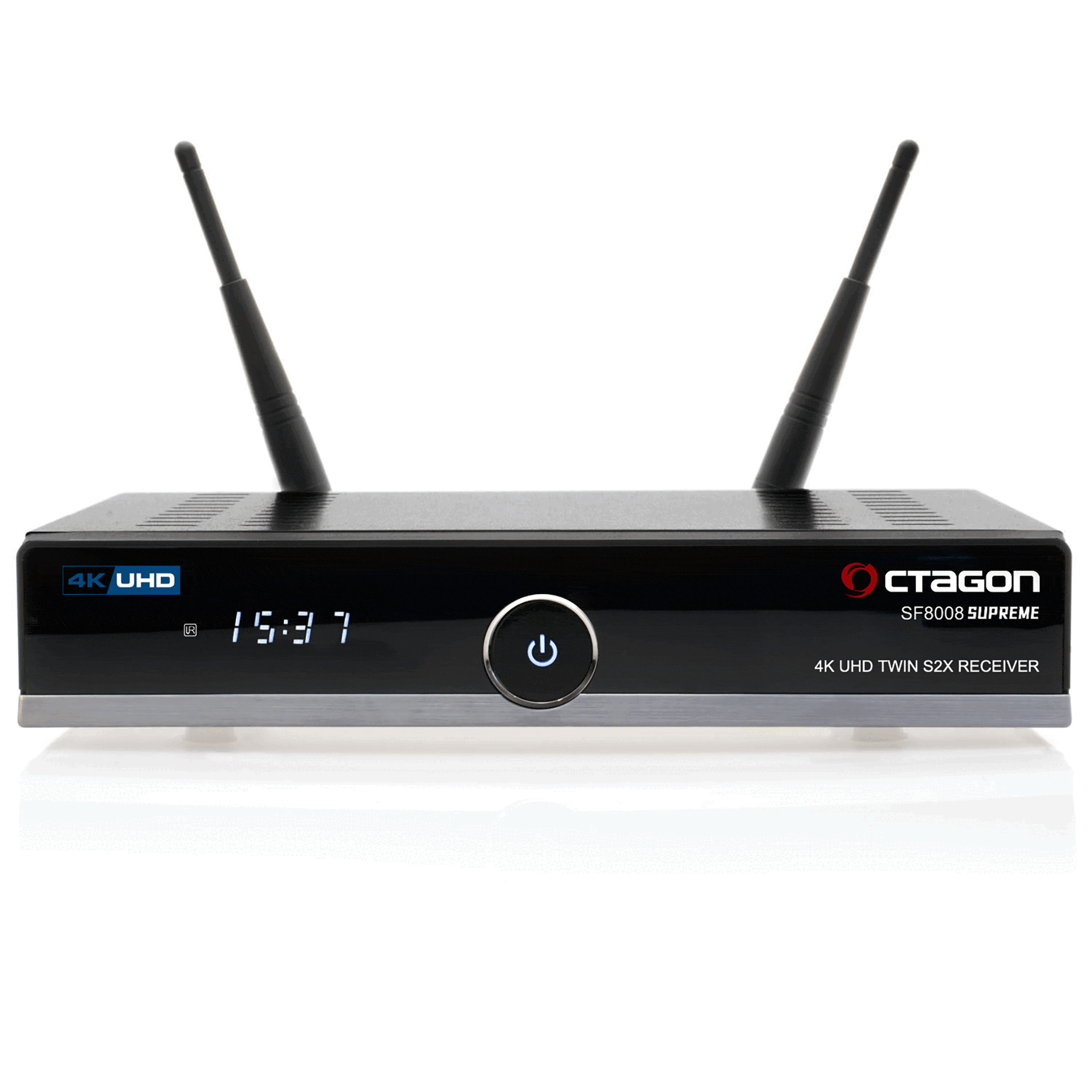
"Now In Stock... OCTAGON SF8008 V3 SUPREME 4K UHD E2 DVB-S2X TWIN (DUAL OS) Satellite Receiver With Multi-Boot!"
Bringing with it a World First - the M.2 interface for the internal integration of M.2 hard drive. $204.00 plus $15.00 for Shipping in the 48 Cont. United States!


If You Like Our Forum, Please Consider Making a Donation to Help With the Monthly Expenses to Maintain the Forum!

A Special Thank You to All who support and purchase products from Ricks Satellite! It is only by the profits made from those sales that I am able to pay for this forum.
A Continued THANK YOU to all of the SUPER POSTERS, that do such a GREAT JOB of finding and posting feeds. and thanks to the members who share their knowledge and answer questions.
It is the Entire group that makes this forum a success!

Sign up Latest Topics


Reply
  Author   Comment   Page 100 of 108     «   Prev   97   98   99   100   101   102   103   Next   »
mjahabarsadiq

Registered:
Posts: 15
Reply with quote  #1486 
In CrazyScan, the Diseq 1.1 is resetting to port 1 instead of port 7 after completing RF scan Horizontal polarization. So it is reading from different LNB.
mjahabarsadiq

Registered:
Posts: 15
Reply with quote  #1487 
@CrazyCat or Someone - please help me to solve the issue.

One more additional information: Today only I noticed that the 4x1 Diseqc switch that I am using is mentioned as 2.0. But in set top box and in DVB Dream, I am selecting as Diseqc 1.0 only.

My connection is as follows.

Dish 1:
A Dish with monoblock LNB.
The LNB is connected with Port 1 of 8x1 switch (1.1 switch).

Dish 2:
A dish with 4 LNBs.
Each of them are connected to Port 2 till Port 5 of 8x1 switch (1.1 switch).

Dish 3:
A dish with single LNB.
The LNB is connected with Port 6 of 8x1 switch (1.1 switch)

Dish 4:
A Dish with 2 LNBs.
One LNB connected to Port 1 and another to Port 2 of 4x1 switch.
Port 3 and Port 4 of 4x1 switch is unused.
The output of 4x1 is connected with Port 7 of 8x1 switch (1.1 switch).

Port 8 of 8x1 switch is unused.


I have no problem with all the LNBs from Dish 1 to Dish 3. The problem is only with Dish 4 which is connected with a 4x1 and 8x1 switch.

I am selecting the options correctly. But the tool (both CrazyScan and EBSPro) is select Port 1 for Diseqc 1.1 automatically even though I set the Diseqc manually. So it is reading from Dish 1's monoblock LNB instead of Dish 4 LNB.

Please let me know the problem.

I am using version 1.0.2.143 of CrazyScan
I am using version 1.2.3.1390 of StreamReader.dll


Thanks,
Sadiq
genpix

Avatar / Picture

Registered:
Posts: 109
Reply with quote  #1488 
it';s possible, it's a bug in the driver for your card.
For instance, it switches off LNB power in between DISEQC commands, and then switches it on again (just before sending Diseqcq command). It would explain why CazyScan "accidentally" gets back to port 1 of 8x1 switch (this is because CrazySacn sends diseqc 1.1 command only once, at the beginning, and Diseqc 1.0 every time it changes polarity or 22kHz tone).
crazycat

Avatar / Picture

Registered:
Posts: 1,374
Reply with quote  #1489 
Maybe problem in diseqc 1.1 switch, which accept (misinterpret) 1.0 cmd and reset to port 1.
__________________
Strong offset dish 0.95m on Powertech DG240 motor + ALPS BSTE8-751B Ku-Universal LNB. Variant CA-902 0.95 offset dish with 3x Ku-Universal LNBs (13E++9E+4.8E) + Variant CA-600 Ku-Circular LNB 36E + DiseqC 1.0. STB: GI8120 Lite. PC DVB: TBS 6983 PCI-E
mjahabarsadiq

Registered:
Posts: 15
Reply with quote  #1490 
Quote:
Originally Posted by genpix
it';s possible, it's a bug in the driver for your card.
For instance, it switches off LNB power in between DISEQC commands, and then switches it on again (just before sending Diseqcq command). It would explain why CazyScan "accidentally" gets back to port 1 of 8x1 switch (this is because CrazySacn sends diseqc 1.1 command only once, at the beginning, and Diseqc 1.0 every time it changes polarity or 22kHz tone).


Quote:
Originally Posted by crazycat
Maybe problem in diseqc 1.1 switch, which accept (misinterpret) 1.0 cmd and reset to port 1.


I don't think switch is the problem since the same switch is working perfectly in DVBDream software for scanning/tuning channels and also working fine in set top box. Correct me if I am wrong.

Thanks,
Sadiq
mjahabarsadiq

Registered:
Posts: 15
Reply with quote  #1491 
I tried many thing... It looks like the Device is not supporting the switches properly.

If I am restarting the device and laptop and try the setting 1.1=7 and 1.0=2, it is working properly for the first polarization (say V). When the tool changes the polarization, either the 1.1 port is getting reset to 1 or 1.0 port is getting reset to port 1.

I already reported this in TBS forum.

http://www.tbsdtv.com/forum/viewtopic.php?f=198&t=10074

Hope to get an update from them.

@CrazyCat bro. I can see you are there in the forum and replied to some threads. Please add your input so that TBS team can improve the drivers.

Now I am planning to get a 16x1 1.1 switch for my setup [frown]


Thanks,
Sadiq
crazycat

Avatar / Picture

Registered:
Posts: 1,374
Reply with quote  #1492 
TBS not have relation to my StreamReaderEx-BDA [smile]
__________________
Strong offset dish 0.95m on Powertech DG240 motor + ALPS BSTE8-751B Ku-Universal LNB. Variant CA-902 0.95 offset dish with 3x Ku-Universal LNBs (13E++9E+4.8E) + Variant CA-600 Ku-Circular LNB 36E + DiseqC 1.0. STB: GI8120 Lite. PC DVB: TBS 6983 PCI-E
mjahabarsadiq

Registered:
Posts: 15
Reply with quote  #1493 
Quote:
Originally Posted by crazycat
TBS not have relation to my StreamReaderEx-BDA [smile]


I am sorry bro. I am not understanding your reply [frown]

Right now I am using CrazyScan tool with my TBS 5990 and it is working.

One problem is when involving Diseqc 1.0 + Diseqc 1.1 together. When polarization is changing, Diseqc 1.0 is resetting to Port 1. Happening only when the 1.0 or 2.0 switch is externally connected to 1.1 switch. Not happening when the switch is built-in inside monoblock LNB.

Another problem is also there when only 1.1 is connected. It is, when completed the first satellite with port 7 (for example) and if I am scanning another satellite with port 6, the RF scan is happening correctly. But Blind scan is happening on 1.1 port 1.

I thought it is their driver problem after seeing your previous replies. Now again, I am not sure if this is a problem in their driver or in your Reader (may be not compatible with TBS 5990).

Please throw some more light on this bro [smile]


Edit: There is a work around for problem 2 (only 1.1 switch connected). Switch of the device after scanning one satellite and start again to scan another satellite. Now it is working fine. I am seeing a setting called Diseqc Repeat. It is defaulted with 2 repeats. I am not sure what exactly it is doing. Should this be adjusted for this problem (a wild doubt)?


Thanks,
Sadiq
genpix

Avatar / Picture

Registered:
Posts: 109
Reply with quote  #1494 
2 crazycat: is it possible that either tbs5990 driver, or StreamReaderEx-BDA has a bug, something like this: when a command to change the voltage comes in, it initially sets the voltage to 0V, and then to the requested level.
It would explain why the 1.1 switch resets to port 1 (diseqc 1.0 would still work, since CrazyScan does send diseqc 1.0 commands every time change in polarity or 22kHz tone required, but it does not send 1.1 commands - this is what I see in my log).

2 mjahabarsadiq: if you have a scope, you can either confirm my hypothesizes, or tell me that i'm completely wrong. But I don't think everybody has a scope at home. Try a multimeter, may be it is fast enough to see the voltage drop-out.
mjahabarsadiq

Registered:
Posts: 15
Reply with quote  #1495 
Quote:
Originally Posted by genpix
2 crazycat: is it possible that either tbs5990 driver, or StreamReaderEx-BDA has a bug, something like this: when a command to change the voltage comes in, it initially sets the voltage to 0V, and then to the requested level.
It would explain why the 1.1 switch resets to port 1 (diseqc 1.0 would still work, since CrazyScan does send diseqc 1.0 commands every time change in polarity or 22kHz tone required, but it does not send 1.1 commands - this is what I see in my log).

2 mjahabarsadiq: if you have a scope, you can either confirm my hypothesizes, or tell me that i'm completely wrong. But I don't think everybody has a scope at home. Try a multimeter, may be it is fast enough to see the voltage drop-out.


Bro, I don't have those devices.. Also, can't understand them much.. [biggrin]


@crazycat bro. Even the workaround I mentioned is not working sometimes. During RF scan itself, the 1.1 port is getting changed to port 1 when polarity is changing. At first it is the port that I am setting.

I changed the log level to 2 and grabbed the below logs where you can see the code for 1.1 port is changing.


00:02:48 - 18/09/2016 RFScan(12715000,0,9750000,10600000,11700000,0x15D0A4)
00:02:48 - 18/09/2016 RFScan(12720000,0,9750000,10600000,11700000,0x15D0A4)
00:02:48 - 18/09/2016 RFScan(12725000,0,9750000,10600000,11700000,0x15D0A4)
00:02:48 - 18/09/2016 RFScan(12730000,0,9750000,10600000,11700000,0x15D0A4)
00:02:48 - 18/09/2016 RFScan(12735000,0,9750000,10600000,11700000,0x15D0A4)
00:02:48 - 18/09/2016 RFScan(12740000,0,9750000,10600000,11700000,0x15D0A4)
00:02:48 - 18/09/2016 RFScan(12745000,0,9750000,10600000,11700000,0x15D0A4)
00:02:48 - 18/09/2016 RFScan(10700000,1,9750000,10600000,11700000,0x15D09C)
00:02:48 - 18/09/2016 RFScan(10705000,1,9750000,10600000,11700000,0x15D09C)
00:02:48 - 18/09/2016 RFScan(10710000,1,9750000,10600000,11700000,0x15D09C)
00:02:48 - 18/09/2016 RFScan(10715000,1,9750000,10600000,11700000,0x15D09C)
00:02:48 - 18/09/2016 RFScan(10720000,1,9750000,10600000,11700000,0x15D09C)
00:02:48 - 18/09/2016 RFScan(10725000,1,9750000,10600000,11700000,0x15D09C)
00:02:48 - 18/09/2016 RFScan(10730000,1,9750000,10600000,11700000,0x15D09C)
00:02:48 - 18/09/2016 RFScan(10735000,1,9750000,10600000,11700000,0x15D09C)


Thanks,
Sadiq
crazycat

Avatar / Picture

Registered:
Posts: 1,374
Reply with quote  #1496 
Please check CS 1.0.2.145
https://sourceforge.net/p/crazyscan/blog/2016/09/crazyscan-102145/

DiseqC 1.0 cmd for pol/band changes now optional.

__________________
Strong offset dish 0.95m on Powertech DG240 motor + ALPS BSTE8-751B Ku-Universal LNB. Variant CA-902 0.95 offset dish with 3x Ku-Universal LNBs (13E++9E+4.8E) + Variant CA-600 Ku-Circular LNB 36E + DiseqC 1.0. STB: GI8120 Lite. PC DVB: TBS 6983 PCI-E
mjahabarsadiq

Registered:
Posts: 15
Reply with quote  #1497 
Quote:
Originally Posted by crazycat
Please check CS 1.0.2.145
https://sourceforge.net/p/crazyscan/blog/2016/09/crazyscan-102145/

DiseqC 1.0 cmd for pol/band changes now optional.


Thanks for the latest version bro.. I tried today by not selecting Multi Switch option from UI.

My current setup:
7 LNBs are connected to a 1.1 switch directly.
1 Monoblock LNB is connected to the same 1.1 switch at port 1.

Switched on the device.

Opened the new CrazyScan.

Loaded the profile for port 8 of 1.1 switch. Didn't select Multi Switch. Worked correctly.

Loaded the profile for port 1 of 1.1 and port 2 of 1.0. Still didn't select Multi Switch. Worked correctly.

Loaded the profile for port 1 of 1.1 and port 1 of 1.0. Still didn't select Multi Switch. Worked correctly.

Loaded the profile for port 7 of 1.1 switch. Didn't select Multi Switch. Worked correctly.

Loaded the profile for port 8 of 1.1 switch. Didn't select Multi Switch. Not worked correctly.
It is reading from port 8 for H polarity but from port 1 of 1.1 and port 1 of 1.0 for V polarity during RF scan.

Loaded the profile for port 7 of 1.1 switch. Didn't select Multi Switch. Worked correctly.

Loaded the profile for port 8 of 1.1 switch. Didn't select Multi Switch. Not worked correctly.
It is reading from port 8 for H polarity but from port 1 of 1.1 and port 1 of 1.0 for V polarity during RF scan.

Loaded the profile for port 1 of 1.1 and port 2 of 1.0. Still didn't select Multi Switch. Not Worked correctly.
It is reading from port 1 of 1.1 and port 2 of 1.0 for H polarity but from port 1 of 1.1 and port 1 of 1.0 for V polarity.


I am not sure what exactly is the issue.

For the port 8 issue, if I am stopping and retrying, sometimes it is working correctly and sometimes not. But whenever it is working in RF scan, it is again going to port 1 of 1.1 and port 1 of 1.0 during blind scan..

What exactly that Diseqc repeat is doing bro? Sorry if this is a silly question but I am new to this USB DVBS2 devices so asking. Currently, it is defaulted to 2. I even tried setting it as 1 and 0 but still facing the issue.

Appreciate your effort in trying to solve the problem.

Thanks,
Sadiq
mjahabarsadiq

Registered:
Posts: 15
Reply with quote  #1498 
Hi bro,

Any further update? I even tried replacing the inputs of the LNBs to different ports. Every time, the Diseqc 1.1 or Diseqc 1.0 is resetting to port 1 with and without Multiswitch option. Resetting diseq again by pressing send diseq button also not resetting it to actual. Please do something.
wejones

Avatar / Picture

Registered:
Posts: 6,991
Reply with quote  #1499 
This is not specific to Crazyscan or BLSCAN, but since it's related to streamreader proxy source it seemed to fit here rather than in a separate thread.

I've been using the TSReader_StreamReaderEx.dll  streamreader proxy source for TSREADER for years, and I've noticed a problem, but never realized that the problem only occurred with this source.
The problem relates to when I try to do a "VIEW"---"CHART"----"SIGNAL"  in TSREADER to create a chart of signal and quality.  When using the regular TBS source for my 6983 or 6925, this works OK, except for the fact that the standard version of TSREADER doesn't allow you to adjust the scale on the chart.
  However, when using the streamreader proxy source, the chart comes up showing only negative values, and since the sig/quality and SNR are positive and the RF sig is off scale in the negative direction, they don't show up on the chart. Basically the chart is blank.  

    I know that this is more a problem with TSREADER than the source, but I'm curious re whether there might be a workaround for this, since I really like the proxy source a lot more than the stock TBS source.
   The difference between the TBS and proxy source seems to be that the TBS source only reports SIGNAL%/QUALITY%, whereas the proxy source reports both SIGNAL%/QUALITY% and  RFSIG/SNR in dB, and it seems as if even though the proxy source prints out both, it must be sending only the negative dB values to TSREADER when it's in the view chart window.
   I'm guessing that if I had the PRO version of TSREADER, I could adjust the scale on the left, and find the values that are off scale, but the extra $ for the pro version isn't worth it for this one feature.  Then again, it could be that TSREADER just doesn't understand the values being received in dB format.
   Not a big deal because if I want to create charts, I can just switch over to the TBS sources, but wondering if anyone else has noticed this issue and/or figured out a workaround for it?
BTW, the charts shown were done during a rainstorm, which was one reason why I was interested in the signal charts, and also the reason my sig/quality were down a bit.


Attached Images
Click image for larger version - Name: tsr-chart-tbs1.jpg, Views: 126, Size: 554.76 KB  Click image for larger version - Name: tsr-chart-strmrdr1.jpg, Views: 111, Size: 449.87 KB 

Tholex

Registered:
Posts: 64
Reply with quote  #1500 
Link margin(in tooltip) should be lower for DVB-S2/QPSK FEC 1/4.
I also think that polarization selection may be quicker with radio buttons?[comp]
Previous Topic | Next Topic
Print
Reply

Quick Navigation:

Easily create a Forum Website with Website Toolbox.

Fellow Members, your posts are welcome here! Do not worry about posting everything perfect. Different receivers and LNB's will give you different Frequencies and Symbol Rates. Some set top boxes, PCI cards and USB receivers, Do Not Require all of the same information that others may need. It is not Required to post everything that others may need to tune in a feed. It is just most important to share the find. We can always adjust the Frequency and Symbol Rates and try the various Modulations and FEC's on our own receivers until we get a lock and then give a polite reply with what works for your receiver, as that information might help others as well. We all appreciate the efforts and energy of the Posters!

Thank You for Visiting GOFASTMOTORSPORTS.com - Keep Your Eyes on the Sky and the Track!