Welcome to "RICKS SATELLITE WILDFEED & BACKHAUL FORUM"... ... ... Brought to you by "RICKS SATELLITE USA" - "Where the Big Dish Rules!"... ... ... In Association with "GOFASTMOTORSPORTS.com" ... ... ... Green Flag - Green Flag - Go Go Go ... ...

Donate
Ricks Satellite Wildfeed and Backhaul Forum

This Forum is Brought to you by "Ricks Satellite"
www.RicksSatelliteUSA.com or www.GoFastMotorsports.com or call 816-228-1801
Your US Supplier for Free To Air Digital Receivers, Feed Horns, LNB's & LNBF's, Venture Made in the USA Actuator Arms and many other products!

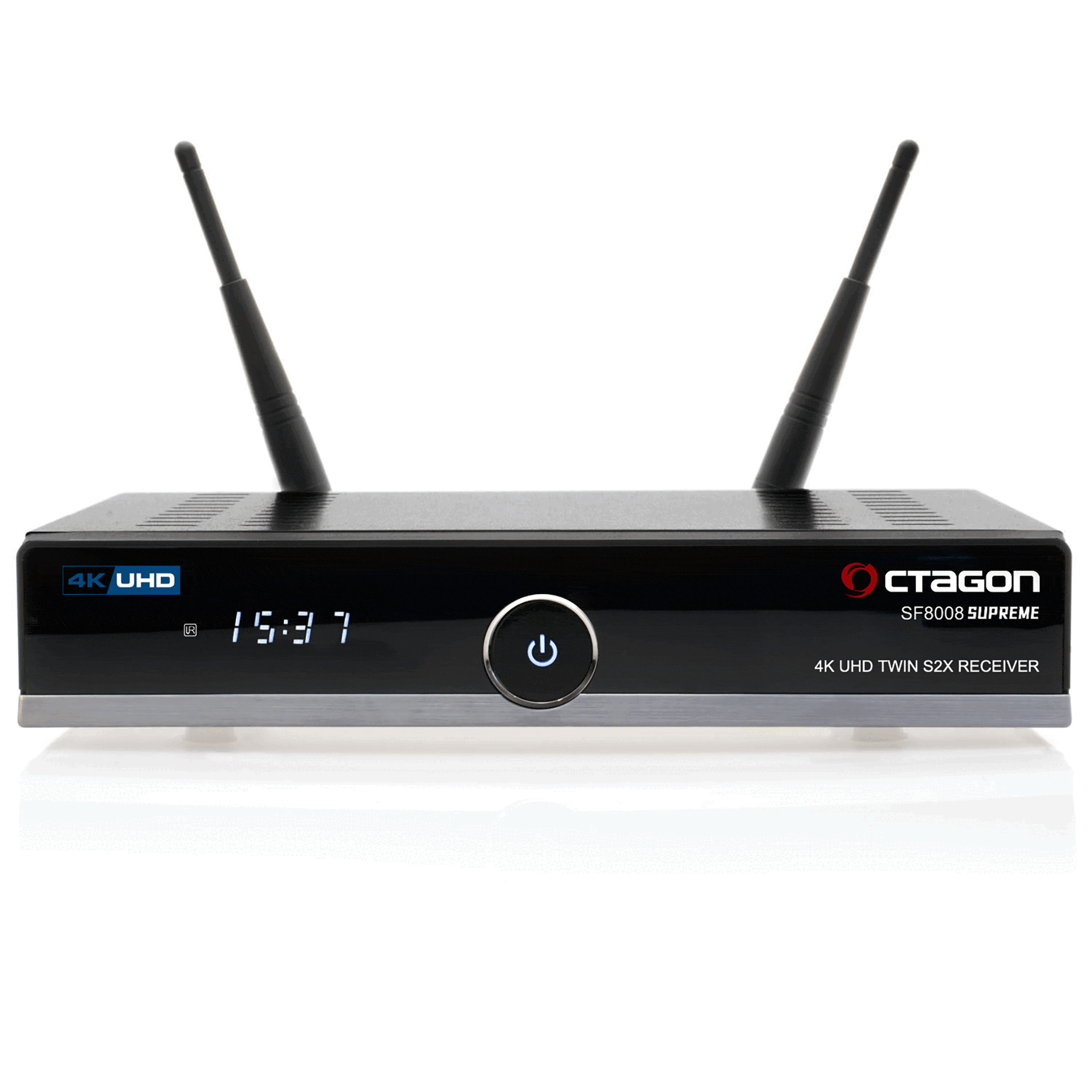
"Now In Stock... OCTAGON SF8008 V3 SUPREME 4K UHD E2 DVB-S2X TWIN (DUAL OS) Satellite Receiver With Multi-Boot!"
Bringing with it a World First - the M.2 interface for the internal integration of M.2 hard drive. $204.00 plus $15.00 for Shipping in the 48 Cont. United States!


If You Like Our Forum, Please Consider Making a Donation to Help With the Monthly Expenses to Maintain the Forum!

A Special Thank You to All who support and purchase products from Ricks Satellite! It is only by the profits made from those sales that I am able to pay for this forum.
A Continued THANK YOU to all of the SUPER POSTERS, that do such a GREAT JOB of finding and posting feeds. and thanks to the members who share their knowledge and answer questions.
It is the Entire group that makes this forum a success!

Sign up Latest Topics


Reply
  Author   Comment   Page 99 of 108     «   Prev   96   97   98   99   100   101   102   Next   »
wejones

Avatar / Picture

Registered:
Posts: 6,991
Reply with quote  #1471 
I'm a bit confused as to why there are multiple posts about EBS in this Crazyscan thread. I thought that EBS had it's own thread.  It seems like there hasn't been any Crazyscan discussion here since approximately msg 1443.


fenelon

Registered:
Posts: 1,588
Reply with quote  #1472 
Me confused to started out about driver then blossomed into this.
Feed_Freak

Registered:
Posts: 154
Reply with quote  #1473 
Quote:
Originally Posted by wejones
I'm a bit confused as to why there are multiple posts about EBS in this Crazyscan thread. I thought that EBS had it's own thread.  It seems like there hasn't been any Crazyscan discussion here since approximately msg 1443.


can a mod move this to the correct thread then. thanks

__________________
thanks
FF
mjahabarsadiq

Registered:
Posts: 15
Reply with quote  #1474 
Dear all, first of all thanks to all. I got to know about crazy scan tool by googling and logging into this forum. It is a good tool that I don't need to say.

I am using it with my TBS5990 card for the past two days. O am in the learning stage of using cards to scan channels.

I am facing a problem in blind scanning and need your guidance. My dish setup is as follows.

Set top box is connected with 8x1 diseqc 1.1 switch.
Port1 of the 1.1 switch is connected to mono block LNB.
Port 2 till port 6 are connected to different LNBs.
Port 7 is connected to a 4x1 diseqc switch.
Port2 and port3 of 1.0 switch is connected with 2 different LNBs.

Now I have a problem in blind scan using crazy scan tool only when connecting port7 of 1.1 and port2/3 of 1.0. It is not reading properly from those LNBs. Instead it is showing some frequencies which are not relevant. Rest all are working fine. Even this port7 with port2/3 is working in set top box.

I have taken logs and screenshots but right now it is on my laptop and I traveling. Will be back home by Wednesday so that I can share those information by that time.

Meanwhile if somebody can guide with the above given information, that would be great.

PS: typed from mobile. Please adjust the spelling mistakes if any....
mjahabarsadiq

Registered:
Posts: 15
Reply with quote  #1475 
No one is here to help ?
voomvoom

Avatar / Picture

Registered:
Posts: 2,244
Reply with quote  #1476 
I don't know for sure, but it's my belief that the 1.0 switch should be in front of the 1.1 switch
If my thinking is correct? The not relevant frequencies you're seeing are probably coming from ports 2/3 of the 8x1 switch (1.1 switch)
My only other guess would be that you have a bad switch, and your set top receiver reads the bad switch better than CrazyScan does?
I really don't know and I'm just taking a wild guess? Good Luck!

Al

__________________
If I don't answer right away, give me a few, I'm probably chasing 16Apsk and/or 32Apsk
genpix

Avatar / Picture

Registered:
Posts: 109
Reply with quote  #1477 
I just checked the log file, and it looks like CrazyScan sends Diseqc 1.1/1.2 command first (if enabled), and then Diseqc 1.0 (if enabled).
Thus, it should work properly in your setup (as I understand, you have 4x1 commited diseqc switch behind input 7 of 8x1 uncommitted diseqc switch, right?).

are you sure you are setting start/stop frequencies right (crazy scan has a "habit" to replace the frequencies with "appropriate" ones which properly suit the selected LNB; unfortunately, they are not always correct ones)  ?
mjahabarsadiq

Registered:
Posts: 15
Reply with quote  #1478 
Guys, thanks for reply. As you guys said, CrazyScan is sending 1.1 command first and then 1.0 command. I don't think switch is the problem since it is working fine in set top box and other scanning tool like DVBDream
Even in CrazyScan, it is working with monoblock LNB connected with 1.1 switch. I am selecting port 1 and port 2 respectively for 1.0 and it is reading properly.
And the irrelevant frequencies are completely irrelevant; not from other LNBs.
One more information is, in my 1.0 switch no LNBs are connected at port 1 and port 4. I am using port 2 and port 3 only.
I will send the logs tomorrow.
genpix

Avatar / Picture

Registered:
Posts: 109
Reply with quote  #1479 
what do you mean under "irrelevant frequencies"?
are you talking about wrong frequency requests sent to the tuner?
or are you talking about "irrelevant" responses (response is not what one may expect from that satellite at that particular frequency)?
how did you configure LNB settings in CrazySCan for those two LNBs behind 4x1 switch?
and how they are different from LNB settings for input #2 of 8x1 switch, for instance?

are you sure your start/stop frequencies set properly when you switch between LNBs?
mjahabarsadiq

Registered:
Posts: 15
Reply with quote  #1480 
I am scanning 108.2 E (SES7) Ku band. But the frequencies that I am getting are something I never seen in any of my other satellite setup. That is what I am calling as irrelevant frequencies.

I am attaching the screenshots of all my settings in CrazyScan along with logs.


1.PNG 

2.PNG 

3.PNG 

RF Scan and Blind Scan output images:
108.2E-RFScan.png 
Blind Scan transponder results:

[SATTYPE]
1=1082
2=SES 7
[DVB]
0=5
1=11542,V,20480,?
2=11617,V,4131,?
3=11618,H,16605,67
4=12749,H,8841,?
5=12749,V,8841,?

Expected TPs:
11480 V 28800 3/4
11483 H 26600 3/4
11520 H 32700 3/4
11520 V 32700 3/4
11560 H 32700 3/4
11560 V 32700 3/4
11600 H 32700 3/4
11600 V 32700 3/4
11640 H 30000 3/4
11640 V 32700 3/4
11680 H 32700 3/4
11680 V 32700 3/4

Complete Logs:

------------Starting up the device------------
04:53:22 - 15/09/2016 StreamReaderEx BDA Ver:1.2.3.1390-commited (Sep 8 2016, 12:24:18)
04:53:22 - 15/09/2016 Log level = 1
04:53:22 - 15/09/2016 DLL_PROCESS_ATTACH hModule = 0F730000
04:53:23 - 15/09/2016 CheckForDVBEx(0x00389150)
04:53:23 - 15/09/2016 PID filtering disabled !
04:53:23 - 15/09/2016 Power-off LNB on exit: ENABLED
04:53:23 - 15/09/2016 SendDiSEqC use 2 repeats
04:53:23 - 15/09/2016 Default modulation: AUTO
04:53:23 - 15/09/2016 Default spectral inversion: AUTO
04:53:23 - 15/09/2016 Default pilot: AUTO
04:53:23 - 15/09/2016 Default rolloff: AUTO
04:53:23 - 15/09/2016 Preffered BDA device type: AUTO
04:53:23 - 15/09/2016 Allowed IF Freq 950-2150 Mhz
04:53:23 - 15/09/2016 Inverted LOF<6000 and >21000 Mhz
04:53:23 - 15/09/2016 Available BDA-devices:
04:53:23 - 15/09/2016 Device 0
04:53:23 - 15/09/2016 Name: TBS 5990 DVBS/S2 Tuner A
04:53:23 - 15/09/2016 Type: DVB-S/S2
04:53:23 - 15/09/2016 Index: 0
04:53:23 - 15/09/2016 Device 1
04:53:23 - 15/09/2016 Name: TBS 5990 DVBS/S2 Tuner B
04:53:23 - 15/09/2016 Type: DVB-S/S2
04:53:23 - 15/09/2016 Index: 0
04:53:23 - 15/09/2016 StartDVBEx(0)
04:53:23 - 15/09/2016 Device_ID: 0
04:53:23 - 15/09/2016 Use Device 0
04:53:23 - 15/09/2016 Tuner filter: TBS 5990 DVBS/S2 Tuner A
04:53:23 - 15/09/2016 Capture filter: TBS 5990 TS Capture A
04:53:23 - 15/09/2016 Input num 0
04:53:23 - 15/09/2016 TAS2101 detected !
04:53:23 - 15/09/2016 TBS AV201x/TAS201x direct control used !
04:53:23 - 15/09/2016 RFScan delay = 5 ms
04:53:23 - 15/09/2016 Turbosight (Lattice FPGA based) BDA extension used !
04:53:23 - 15/09/2016 + Turbosight BlindScan support with TMAX
04:53:23 - 15/09/2016 + Turbosight I2C access support
04:53:23 - 15/09/2016 + Turbosight fast LNB control support
------------Device started up------------

------------Setting DiseqC by clicking "Set DiSEqC" button 1.1->7 1.0->3------------
04:58:02 - 15/09/2016 SendDiseqCmd(0x0030D11C, 4)
04:58:02 - 15/09/2016 DiseqCmd: E0 10 39 F6
04:58:02 - 15/09/2016 SendDiseqCmd(0x0030D11C, 4)
04:58:02 - 15/09/2016 DiseqCmd: E1 10 39 F6
04:58:03 - 15/09/2016 SendDiseqCmd(0x0030D11C, 4)
04:58:03 - 15/09/2016 DiseqCmd: E1 10 39 F6
04:58:03 - 15/09/2016 SendDiSEqC (2, f8)
------------DiSEqC setting completed------------

------------Starting RF Scan------------
04:58:19 - 15/09/2016 SendDiSEqC (2, fa)
04:58:29 - 15/09/2016 SendDiSEqC (2, fb)
04:58:40 - 15/09/2016 SendDiSEqC (2, f8)
05:01:43 - 15/09/2016 SendDiSEqC (2, f9)
------------RF Scan Completed------------

------------Starting Blind Scan------------
05:03:30 - 15/09/2016 SendDiSEqC (2, fa)
05:07:16 - 15/09/2016 SendDiSEqC (2, fb)
05:12:14 - 15/09/2016 SendDiSEqC (2, f8)
05:16:03 - 15/09/2016 SendDiSEqC (2, f9)
------------Blind Scan Completed------------


Thanks,
Sadiq

genpix

Avatar / Picture

Registered:
Posts: 109
Reply with quote  #1481 
spectra of V polarization is completely bogus, it is 25-30 dBm (!) lower then signal from H polarization.
something is not right. May be your TBS 5990 can not provide proper 13V level (or you have too much load on the other end of coax-cable, as well as too much voltage drop on a coax cable).
But looking at the H-pol spectra, and comparing it with transponders list, I see that it does represent a real life.

Try to do a Spectrum Scan and Blind Scan of just H polarization, and reduce the frequency span a bit (no need to scan "empty" space), from 11400 to 11700 MHz (just a small portion of a lower band).
What will you get?

PS: are you positive that you have LNB exactly as you described to CrazyScan? do you have the datasheet (link)?
mjahabarsadiq

Registered:
Posts: 15
Reply with quote  #1482 
Hi, I will try one more time as you said. By the way I am not sure about the Datasheet that you are talking about. But if I am simply connecting the cable to my set top box and selecting port 7 for 1.1 and port 3 for 1.0, it is working.
genpix

Avatar / Picture

Registered:
Posts: 109
Reply with quote  #1483 
my question is: are you sure you have exactly the type of LNB as you described it to Crazy Scan?
how have you described that LNB in your Set Top Box configuration?
mjahabarsadiq

Registered:
Posts: 15
Reply with quote  #1484 
Please find the set top box settings for the same LNB bro.. Right now the cable is connected with TBS5990 and so so signal on the screenshot.

20160915_072851.jpg 

mjahabarsadiq

Registered:
Posts: 15
Reply with quote  #1485 
An update.. I just connected the LNB to Port 1 instead of Port 3 and it is working fine now in EBS Blindscan tool. Will check in CrazyScan tool and update..
Previous Topic | Next Topic
Print
Reply

Quick Navigation:

Easily create a Forum Website with Website Toolbox.

Fellow Members, your posts are welcome here! Do not worry about posting everything perfect. Different receivers and LNB's will give you different Frequencies and Symbol Rates. Some set top boxes, PCI cards and USB receivers, Do Not Require all of the same information that others may need. It is not Required to post everything that others may need to tune in a feed. It is just most important to share the find. We can always adjust the Frequency and Symbol Rates and try the various Modulations and FEC's on our own receivers until we get a lock and then give a polite reply with what works for your receiver, as that information might help others as well. We all appreciate the efforts and energy of the Posters!

Thank You for Visiting GOFASTMOTORSPORTS.com - Keep Your Eyes on the Sky and the Track!