Welcome to "RICKS SATELLITE WILDFEED & BACKHAUL FORUM"... ... ... Brought to you by "RICKS SATELLITE USA" - "Where the Big Dish Rules!"... ... ... In Association with "GOFASTMOTORSPORTS.com" ... ... ... Green Flag - Green Flag - Go Go Go ... ...

Donate
Ricks Satellite Wildfeed and Backhaul Forum

This Forum is Brought to you by "Ricks Satellite"
www.RicksSatelliteUSA.com or www.GoFastMotorsports.com or call 816-228-1801
Your US Supplier for Free To Air Digital Receivers, Feed Horns, LNB's & LNBF's, Venture Made in the USA Actuator Arms and many other products!

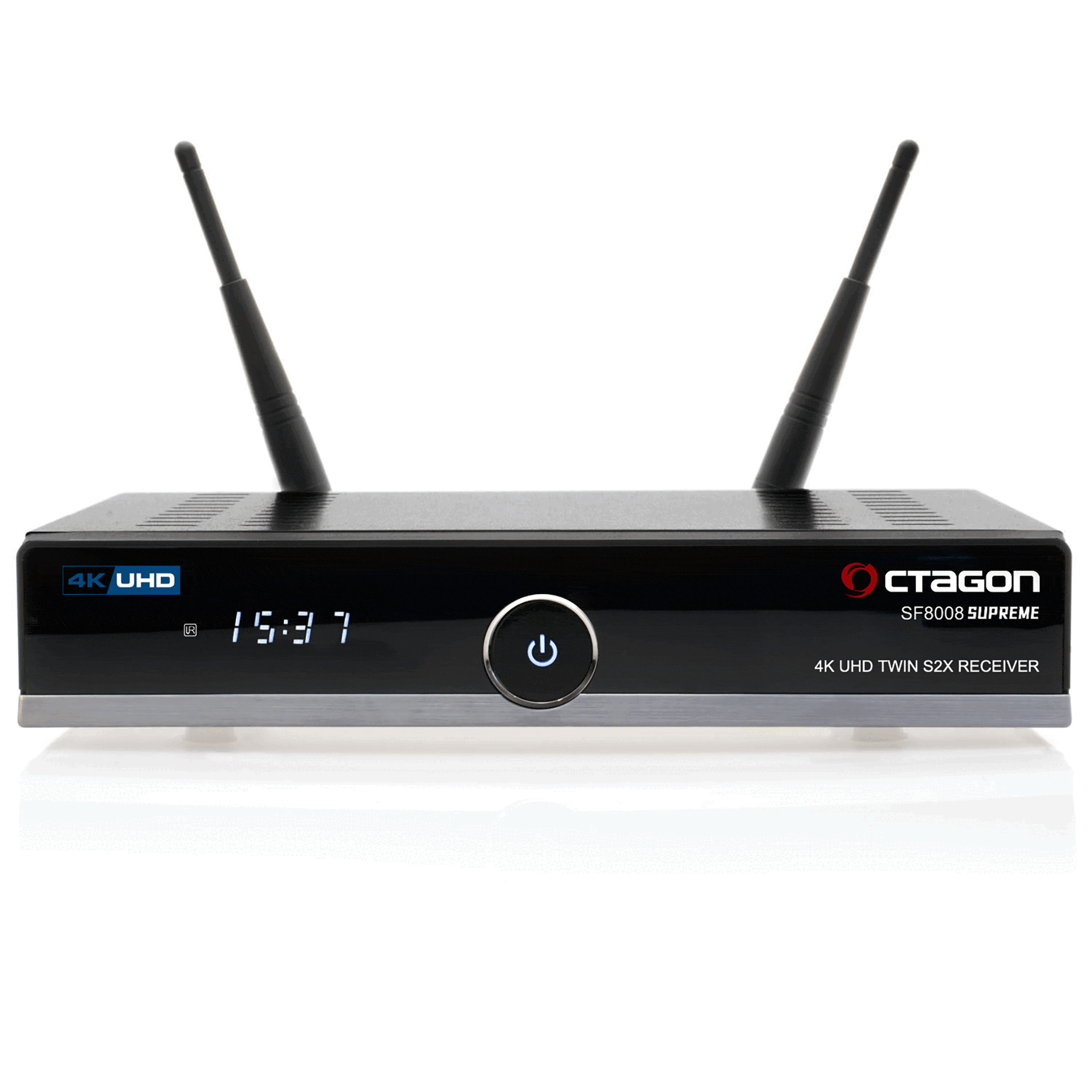
"Now In Stock... OCTAGON SF8008 V3 SUPREME 4K UHD E2 DVB-S2X TWIN (DUAL OS) Satellite Receiver With Multi-Boot!"
Bringing with it a World First - the M.2 interface for the internal integration of M.2 hard drive. $204.00 plus $15.00 for Shipping in the 48 Cont. United States!


If You Like Our Forum, Please Consider Making a Donation to Help With the Monthly Expenses to Maintain the Forum!

A Special Thank You to All who support and purchase products from Ricks Satellite! It is only by the profits made from those sales that I am able to pay for this forum.
A Continued THANK YOU to all of the SUPER POSTERS, that do such a GREAT JOB of finding and posting feeds. and thanks to the members who share their knowledge and answer questions.
It is the Entire group that makes this forum a success!

Sign up Latest Topics


Reply
  Author   Comment   Page 97 of 108     «   Prev   94   95   96   97   98   99   100   Next   »
wejones

Avatar / Picture

Registered:
Posts: 6,991
Reply with quote  #1441 
Quote:
Originally Posted by Tholex
so there is no easy way to quickly change position? To crash, copy text result of that command.

The easy way is to enter your lat/lon in the earth position tab, and your sat's longitude in the sat info tab, then hit the "set diseqC" button.  Pretty easy. 
It gets more complicated when you use the positioner function.  Best to only use that for fine tuning.

The program will do it all automatic for you, but the equations used for USALS/goto-x aren't too accurate, so the program also gives you alternative ways of entering your own calculations manually.

Tholex

Registered:
Posts: 64
Reply with quote  #1442 
This could be improved by simple checkbox Use USALS like in positioner console of SmartDVB[cool]
Add selection of configured positions in menu under Sat info tab?

Feed_Freak

Registered:
Posts: 154
Reply with quote  #1443 
been using a pcie card for a while but need to use something else in it so going back to my usb prof7500 but I cant for the life of me figure out how to install the patched drivers over the official drivers. Windows 7 is in test mode. The official drivers are newer than the patched so windows doesn't want to know about the old patched drivers. Help
__________________
thanks
FF
fenelon

Registered:
Posts: 1,588
Reply with quote  #1444 
Try back at post #376 and on may be what you look for.
Feed_Freak

Registered:
Posts: 154
Reply with quote  #1445 
they wont install over the later drivers in device manager update drivers, they also wont install in explorer using the inf install [frown]
__________________
thanks
FF
fenelon

Registered:
Posts: 1,588
Reply with quote  #1446 
There was a post by NoOne1 about remove the driver in win7 here somewhere that worked for me maybe take a peek.

edit: I think we have to fire up the wayback machine.
Feed_Freak

Registered:
Posts: 154
Reply with quote  #1447 
Quote:
Originally Posted by fenelon
There was a post by NoOne1 about remove the driver in win7 here somewhere that worked for me maybe take a peek.

edit: I think we have to fire up the wayback machine.


installed after deleting the hidden files.

easyblindscan still isn't working

I used the old 4.2 version in the past which never let me down but its now saying no compatible dvbcard found.

__________________
thanks
FF
fenelon

Registered:
Posts: 1,588
Reply with quote  #1448 
Not much I know there been useing the latest smartdvb has all that built in lost my prof 7500 and 7301 so now use prof 8000 and 6925 maybe try Crazyscan from the coder Crazycat.
Feed_Freak

Registered:
Posts: 154
Reply with quote  #1449 
Quote:
Originally Posted by fenelon
Not much I know there been useing the latest smartdvb has all that built in lost my prof 7500 and 7301 so now use prof 8000 and 6925 maybe try Crazyscan from the coder Crazycat.

crazyscan RF scan works but blindscan remains greyed out.

__________________
thanks
FF
fenelon

Registered:
Posts: 1,588
Reply with quote  #1450 
You think easyblind scan could it be you had or have a couple cards and card 0 or card 1 id. thing maybe a reinstall ?
Feed_Freak

Registered:
Posts: 154
Reply with quote  #1451 
Quote:
Originally Posted by fenelon
You think easyblind scan could it be you had or have a couple cards and card 0 or card 1 id. thing maybe a reinstall ?


when running blscan it see's the card but when running the gui it doesn't, ive reinstalled to no avail. its working in ebs pro but then again it did in the past but with intermittent results.

__________________
thanks
FF
fenelon

Registered:
Posts: 1,588
Reply with quote  #1452 
I think you will need to open the ini. and make some changes there at the beginning of the discussion thread you will see we had to make ajustments.
I think I had some problem with ku lnb because a universal lnb I had here and had to alter for NA. 10750.
It's been five years ago now memory fails to remember exact setup at this time.
Also the ini. in easyblindscan may help with some setup worth a look.
Feed_Freak

Registered:
Posts: 154
Reply with quote  #1453 
Quote:
Originally Posted by fenelon
I think you will need to open the ini. and make some changes there at the beginning of the discussion thread you will see we had to make ajustments.
I think I had some problem with ku lnb because a universal lnb I had here and had to alter for NA. 10750.
It's been five years ago now memory fails to remember exact setup at this time.
Also the ini. in easyblindscan may help with some setup worth a look.


there is no ini to edit [frown]


reinstalled blscan and now that contains the blscan.ini and it will start to scan once ive set the device but the gui still wont open and gets as far as the no dvbcard found pop up and then nada [frown]

should there be a easyblindscan.ini also present?

__________________
thanks
FF
wejones

Avatar / Picture

Registered:
Posts: 6,991
Reply with quote  #1454 
What "gui" are you referring to? I don't think blscan has a gui.  Are you talking about the Crazyscan gui or referring to easyblindscan or easyblindscan pro?
Feed_Freak

Registered:
Posts: 154
Reply with quote  #1455 
Quote:
Originally Posted by wejones
What "gui" are you referring to? I don't think blscan has a gui.  Are you talking about the Crazyscan gui or referring to easyblindscan or easyblindscan pro?


easy blindscan 4.xx

__________________
thanks
FF
Previous Topic | Next Topic
Print
Reply

Quick Navigation:

Easily create a Forum Website with Website Toolbox.

Fellow Members, your posts are welcome here! Do not worry about posting everything perfect. Different receivers and LNB's will give you different Frequencies and Symbol Rates. Some set top boxes, PCI cards and USB receivers, Do Not Require all of the same information that others may need. It is not Required to post everything that others may need to tune in a feed. It is just most important to share the find. We can always adjust the Frequency and Symbol Rates and try the various Modulations and FEC's on our own receivers until we get a lock and then give a polite reply with what works for your receiver, as that information might help others as well. We all appreciate the efforts and energy of the Posters!

Thank You for Visiting GOFASTMOTORSPORTS.com - Keep Your Eyes on the Sky and the Track!